• The new Python extension is now available. It allows customers to deploy and manage WSGI-based Python applications on their websites directly from Plesk.
  • The Plesk Mobile apps for iOS and Android and the Plesk Mobile Center extension have been deprecated, and are no longer available for new installations. In Plesk Obsidian 18.0.84, the Plesk Mobile Center extension will be removed from servers during the upgrade, and the Plesk Mobile apps will lose their server management features.
  • The Social Login extension has been deprecated and will be removed in Plesk Obsidian 18.0.84. After that, it will no longer be possible to log in to Plesk with a Google, Facebook, GitHub account, or with a passkey. Plesk usernames and passwords, as well as logging in with a WebPros Account, are not affected.

How to setup DNS zone ?!

M

MihaiR

Guest
Hi all,

I'am beginer and i buy a dedicated server with plesk panel but i don't know to setup the DNS Zone,i read the documentation of plesk panel but honestly i don't understand verry much,so i'am here to request some help.

How to fill these areas from Attached Thumbnails ?

My details :
Ip server adress : 78.46.78.41
My domain : videosarea.com
and this i recived from my host :
The IPv4 adresses of our recursive DNS servers are:

213.133.98.98
213.133.99.99
213.133.100.100


can anyone please help me step by step ? thx
Mike
 

Attachments
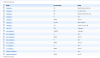
  • what.png
    what.png
    11.9 KB · Views: 4
Last edited by a moderator:
Back
Top