
 Facebook
 Twitter
Hi,
I'm having issue with my plesk panel 11 now,after I typed in the user name and password,it gave me error message below
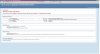
HTTP Error 404.0 - Not Found
The resource you are looking for has been removed, had its name changed, or is temporarily unavailable.
Detailed Error Information
Module
IIS Web Core
Notification
MapRequestHandler
Handler
StaticFile
Error Code
0x80070002
Requested URL
https://localhost:8443/smb/admin-home/
Physical Path
C:\Program Files (x86)\Parallels\Plesk\admin\smb\application\public\admin-home\
Logon Method
Anonymous
Logon User
Anonymous
Here is what I did this morning,I was planning to run a website made by jsp on our server by using IIS and tomcat with IIS to tomcat connector.I installed jre 7.0 and tomcat 7.0,then changed default website port from 80 to 82,created a new site with port 80,then installed connector.
http://www.youtube.com/watch?v=yVKiNAkhav8 I followed this video tutorial,once its done,I found my plesk panel no longer working,so I uninstalled all programs above but problem still there,please advice,thanks in advance.
sai
I'm having issue with my plesk panel 11 now,after I typed in the user name and password,it gave me error message below
HTTP Error 404.0 - Not Found
The resource you are looking for has been removed, had its name changed, or is temporarily unavailable.
Detailed Error Information
Module
IIS Web Core
Notification
MapRequestHandler
Handler
StaticFile
Error Code
0x80070002
Requested URL
https://localhost:8443/smb/admin-home/
Physical Path
C:\Program Files (x86)\Parallels\Plesk\admin\smb\application\public\admin-home\
Logon Method
Anonymous
Logon User
Anonymous
Here is what I did this morning,I was planning to run a website made by jsp on our server by using IIS and tomcat with IIS to tomcat connector.I installed jre 7.0 and tomcat 7.0,then changed default website port from 80 to 82,created a new site with port 80,then installed connector.
http://www.youtube.com/watch?v=yVKiNAkhav8 I followed this video tutorial,once its done,I found my plesk panel no longer working,so I uninstalled all programs above but problem still there,please advice,thanks in advance.
sai
Last edited: