• Debian 11 is approaching its end-of-life (vendor EOL date - August 31, 2026). Plesk Obsidian 18.0.80 will be the last release to support it.
    If you are running Plesk Obsidian on Debian 11, we recommend you upgrade those servers to Debian 12 using our dist-upgrade tool.
  • We plan to deprecate and remove the support for XML RPC protocol versions earlier than 1.6.9.1 in Plesk Obsidian 18.0.82. We strongly recommend that you update all existing integrations using earlier versions of the XML RPC protocol to comply with the version 1.6.9.1 specification.

Resolved I can not create Varnish docker instance in Plek / iptables error

Émerson Felinto

Regular Pleskian
I went to my Plesk in the docker section and started the image "million12 / varnish".
Before running the image I have the option to set which ports this Docker instance will have access to.
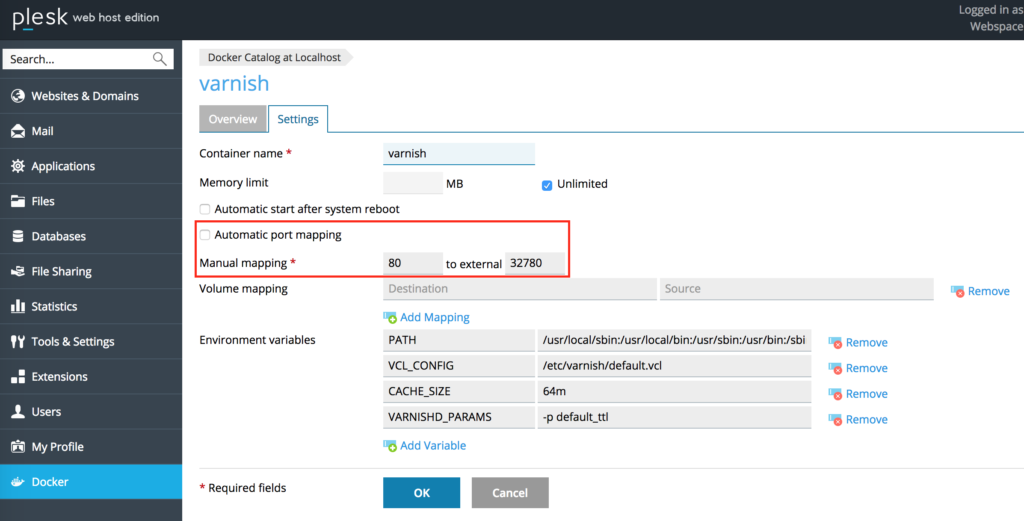
varnish-docker-plesk-port-mapping-1-1024x521.png


However when trying to run I get the following error.
{"message":"driver failed programming external connectivity on endpoint varnish (dd04c8b5a888a82c55798134e873e7148d2b933809a74c37a42e4d22da50a6ba): (iptables failed: iptables --wait -t filter -A DOCKER ! -i docker0 -o docker0 -p tcp -d 172.17.0.2 --dport 80 -j ACCEPT: iptables: No chain/target/match by that name.\n (exit status 1))"}

What does it mean and how can I solve it?
 
it means that you can't have two process listening on the same port...
guess who's listening on port 80 already?
 
I think he's mapping the Docker container Port 80 to 32780....

Assuming you have nothing bound to that public port, I'd check for updates to Docker... Could be a bug.
 
Replicated, and fixed (Centos 7)

# sudo mv /var/lib/docker/network/files/ /tmp/dn-backup
# sudo systemctl restart docker
 
Last edited:
It basically installs a CLI version of a game called Snake which was made popular by Nokia back in the 90s.
 
Last edited:
Replicated, and fixed (Centos 7)

# sudo mv /var/lib/docker/network/files/ /tmp/dn-backup
# sudo systemctl restart docker

Makes a backup of network related docker config files (by moving them to a temporary directory) and then restarts the docker service.
But I guess it needs a
Code:
mkdir /tmp/dn-backup
first, no?


But enough giggles, where are the commands for this super awesome "snake" game you are talking about?!
 
Makes a backup of network related docker config files (by moving them to a temporary directory) and then restarts the docker service.
But I guess it needs a
Code:
mkdir /tmp/dn-backup
first, no?


But enough giggles, where are the commands for this super awesome "snake" game you are talking about?!

Is there a CLI version of snake? I’d be down if there was
 
Back
Top