• Debian 11 is approaching its end-of-life (vendor EOL date - August 31, 2026). Plesk Obsidian 18.0.80 will be the last release to support it.
    If you are running Plesk Obsidian on Debian 11, we recommend you upgrade those servers to Debian 12 using our dist-upgrade tool.
  • We plan to deprecate and remove the support for XML RPC protocol versions earlier than 1.6.9.1 in Plesk Obsidian 18.0.82. We strongly recommend that you update all existing integrations using earlier versions of the XML RPC protocol to comply with the version 1.6.9.1 specification.

Issue I have a problem in restoring the Backup

Adam Alrajjoub

New Pleskian
I downloaded the Backup from the Plisk Control Panel but the file that was downloaded on the computer is an extension of mht!

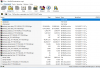
11111111111111.PNG oooo.PNG
How do I restore the Backup?

How to be the way ?? Do I upload the file to the server ?? Then what then ?? What steps should I do to restore Backup?

Thanks in advance for help
 
Looks like there is some kind of misconfiguration of your browser. Try to change browser of just rename this file to 17.tar
I can't reproduce it on my test Plesk server. My downloaded by Safari backup has .tar extension.
 
Back
Top