Follow along with the video below to see how to install our site as a web app on your home screen.
Note: This feature may not be available in some browsers.
The APS Catalog has been deprecated and removed from all Plesk Obsidian versions. Applications already installed from the APS Catalog will continue working. However, Plesk will no longer provide support for APS applications.
Please be aware: with the Plesk Obsidian 18.0.78 release, the support for the ngx_pagespeed.so module will be deprecated and removed from the sw-nginx package.
I see nothing suspicious here. Only 7.1% of memory usage.
For example, on my test Plesk Onyx server I see:
[root@ppu17-0 ~]# free -m
total used free shared buff/cache available
Mem: 3072 424 189 135 2458 2518
Swap: 512 101 410
How it is affect of your Plesk and websites operation? Why do you think that it is a problem? Do you have any alerts/notifications from Plesk Health Monitor?
I see nothing suspicious here. Only 7.1% of memory usage.
For example, on my test Plesk Onyx server I see:
[root@ppu17-0 ~]# free -m
total used free shared buff/cache available
Mem: 3072 424 189 135 2458 2518
Swap: 512 101 410
How it is affect of your Plesk and websites operation? Why do you think that it is a problem? Do you have any alerts/notifications from Plesk Health Monitor?
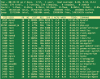
That is perfectly normal. Linux RAM management uses up all RAM if available and suitable to speed processes. When a process requests RAM, the OS will automatically free some from the cache or from other processes that do not need it. It is absolutely correct that the cache is using most of RAM in a low RAM setting like yours. You do not need to worry about it.