Follow along with the video below to see how to install our site as a web app on your home screen.
Note: This feature may not be available in some browsers.
The APS Catalog has been deprecated and removed from all Plesk Obsidian versions. Applications already installed from the APS Catalog will continue working. However, Plesk will no longer provide support for APS applications.
Please be aware: with the Plesk Obsidian 18.0.78 release, the support for the ngx_pagespeed.so module will be deprecated and removed from the sw-nginx package.
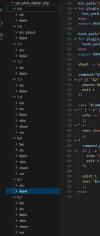
I have /opt/plesk/php directory but not all have full php. where they go. For example our website works in php 5.6 but i dont see php/bin directory. how does it work?
So, what's going on that you can't do this? Have you already contacted Plesk Support so they can investigate the issue on your server? It'll cost you nothing and it's the best service I've ever seen in my career.
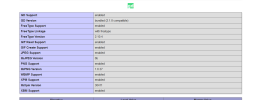
Anyways try to update gd.so from remi build to plesk 5.6 in our new server . it do not start. i think its different compilation code not compatible even though both php 5.6
Could you please use deepl to translate your questions? I've no idea what you need or want. Plesk offers PHP 5.6 and you're still compiling the code. Why?
I only have one server so I don't have the luxury of trying it out elsewhere. It's a Joomla site, that is 1.6 and I want to run through the upgrades to the latest I can. I've got the Tar file to the next version which is 2.5, but now I think, I'm going to need another server environment?
Any thoughts anyone?