Facebook
 Twitter
S
Samk_sl
Guest
Hi,
I have an internet web application running on IIS 7 win2008 R2. The file manager in Plesk also points to the same location.
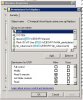
The web application was poping up the windows login box after deployment into the server. To manage this we enabled the anonymous access on the server, we also assigned the IUSR in the permissions.
Problem:
When ever we create, delete or modify a user, in the plesk panel the additional settings we have made in IIS just disappears and the site stops working.
How do we retain the additional settings made?