Facebook
 Twitter

Will-NYESDigital
Regular Pleskian
PRODUCT, VERSION, OPERATING SYSTEM, ARCHITECTURE
Plesk Obsidian, Version 18.0.31, last updated on Nov 6, CentOS Linux 7.8.2003 (Core), Web Presence Builder
PROBLEM DESCRIPTION
When I edit a page that contains an Image Gallery the image cannot be seen and displays a white square making impossible to check if the image successfully uploaded correctly, orientation right and even able to move around the page. The image can be clicked on but is never shown until I press Publish and view the live site where I can see the images.
STEPS TO REPRODUCE
I added/dragged the image gallery into a page content area, added images from my file explorer and then viewed them under the title of my gallery.
ACTUAL RESULT
Shows a white square with the image title/convention and no image preview or image.
EXPECTED RESULT
It should display the image that will be made live so checks can be made.
ANY ADDITIONAL INFORMATION
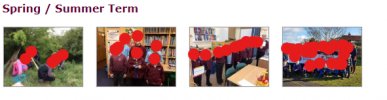
Attached are screenshots for everyone's attention. (red circles are to protect children)
Thank you all for your time and I look forward to your responses.
Plesk Obsidian, Version 18.0.31, last updated on Nov 6, CentOS Linux 7.8.2003 (Core), Web Presence Builder
PROBLEM DESCRIPTION
When I edit a page that contains an Image Gallery the image cannot be seen and displays a white square making impossible to check if the image successfully uploaded correctly, orientation right and even able to move around the page. The image can be clicked on but is never shown until I press Publish and view the live site where I can see the images.
STEPS TO REPRODUCE
I added/dragged the image gallery into a page content area, added images from my file explorer and then viewed them under the title of my gallery.
ACTUAL RESULT
Shows a white square with the image title/convention and no image preview or image.
EXPECTED RESULT
It should display the image that will be made live so checks can be made.
ANY ADDITIONAL INFORMATION
Attached are screenshots for everyone's attention. (red circles are to protect children)
Thank you all for your time and I look forward to your responses.