
 Facebook
 Twitter
Few days ago i installed Plesk. So far so good. One small thing is unclear. See my screenshot of Plesk Home screen.
It clearly says "System is up to date". I installed from official repository and updated few packages automatically.
Plesk Update and Upgrade settings:
Automatically install Plesk updates (Recommended) - Check
Automatically install updates for third-party components shipped by Plesk - Check
Enable safe updates for system packages - Check
Notify about available and installed system package updates - Check (in case something doesn't update automatically)
Release tier: General release (Recommended)
See my home screen:
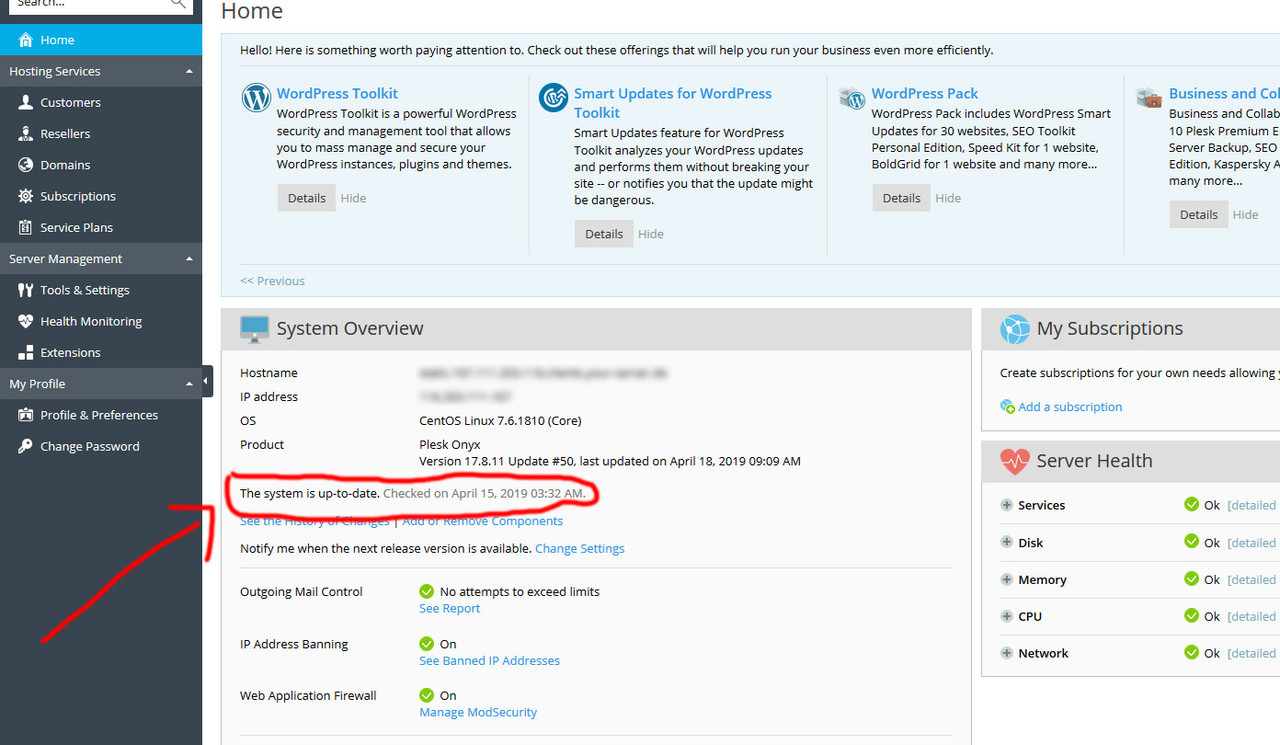
Yet when i go to Plesk Updates and Upgrades i see this:
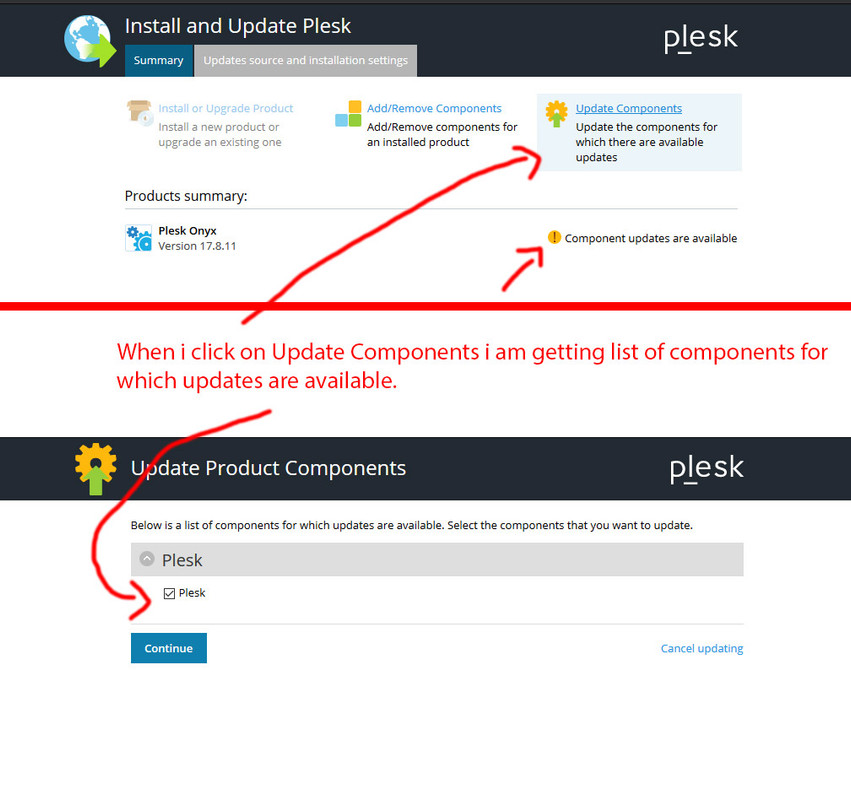
It says Components updates are available? Why? If my system is up to date? And when i click on Update Components (as in screenshot) i am getting list of updates and it says Plesk. Just Plesk. But what will be updated? Which version to what exactly? If my system is up to date why i am seeing this update with no description - what exactly is updated even though Plesk Home screen tells me that my system is up to date??
Can anyone clarify?
It clearly says "System is up to date". I installed from official repository and updated few packages automatically.
Plesk Update and Upgrade settings:
Automatically install Plesk updates (Recommended) - Check
Automatically install updates for third-party components shipped by Plesk - Check
Enable safe updates for system packages - Check
Notify about available and installed system package updates - Check (in case something doesn't update automatically)
Release tier: General release (Recommended)
See my home screen:
Yet when i go to Plesk Updates and Upgrades i see this:
It says Components updates are available? Why? If my system is up to date? And when i click on Update Components (as in screenshot) i am getting list of updates and it says Plesk. Just Plesk. But what will be updated? Which version to what exactly? If my system is up to date why i am seeing this update with no description - what exactly is updated even though Plesk Home screen tells me that my system is up to date??
Can anyone clarify?


