• Debian 11 is approaching its end-of-life (vendor EOL date - August 31, 2026). Plesk Obsidian 18.0.80 will be the last release to support it.
    If you are running Plesk Obsidian on Debian 11, we recommend you upgrade those servers to Debian 12 using our dist-upgrade tool.
  • We plan to deprecate and remove the support for XML RPC protocol versions earlier than 1.6.9.1 in Plesk Obsidian 18.0.82. We strongly recommend that you update all existing integrations using earlier versions of the XML RPC protocol to comply with the version 1.6.9.1 specification.

Resolved install Let's Encrypt

Gl1tch

New Pleskian
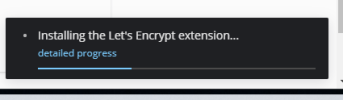
Problem is I can't install Let's Encrypt it keeps telling me
Installing the Let's Encrypt extension...
and loads loads loads more does not happen?

Since yesterday only loading in Plesk
 

Attachments

  • 1.png
    1.png
    11.3 KB · Views: 8
as in the other post do use debug mode and check where it is stuck in the logs, then we can help further
 
is it not possible to upload a zip file from Let's Encrypt, if so, where can I download Let's Encrypt,
 
This is most likely the same issue that you are having with the activation. It is not a Plesk issue, but some ports are probably blocked on your server or in a firewall before the server.
 
Problem solved, I created a new /opt/psa/admin/conf Panel.ini and entered everything manually, which was not created,
 
Back
Top