• The APS Catalog has been deprecated and removed from all Plesk Obsidian versions.
    Applications already installed from the APS Catalog will continue working. However, Plesk will no longer provide support for APS applications.
  • Please be aware: with the Plesk Obsidian 18.0.78 release, the support for the ngx_pagespeed.so module will be deprecated and removed from the sw-nginx package.

Installation update #30

Status
Not open for further replies.

Andrei C

Regular Pleskian
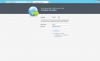
plesk_update_freeze.png

Dear support,

When I try to update #30 (Plesk Control Panel) I see next message "Loading your system configuration... It might take several minutes".
I waited 30 min, nothing changes. how can i fix this?
 
Last edited:
HI

go to control panel > users
click your administrator account and go to UAC Control. Drag it down to the v.bottom.

Reboot your server
reopen the AI.exe

let me know the result, if your still having issue, please confirm if this is 2012 or 2012 R2, both are supported by Plesk but its good to know.
 
HI

go to control panel > users
click your administrator account and go to UAC Control. Drag it down to the v.bottom.

Reboot your server
reopen the AI.exe

let me know the result, if your still having issue, please confirm if this is 2012 or 2012 R2, both are supported by Plesk but its good to know.

Thanks Bro, It's work!
 
Status
Not open for further replies.
Back
Top