• Halloween is coming! To celebrate the occasion, we dusted off a couple of old skins, and even created a brand new one (Pixel).
    To get into the festive spirit, install the Skins extension.
  • The new Python extension is now available. It allows customers to deploy and manage WSGI-based Python applications on their websites directly from Plesk.
  • The Plesk Mobile apps for iOS and Android and the Plesk Mobile Center extension have been deprecated, and are no longer available for new installations. In Plesk Obsidian 18.0.84, the Plesk Mobile Center extension will be removed from servers during the upgrade, and the Plesk Mobile apps will lose their server management features.
  • The Social Login extension has been deprecated and will be removed in Plesk Obsidian 18.0.84. After that, it will no longer be possible to log in to Plesk with a Google, Facebook, GitHub account, or with a passkey. Plesk usernames and passwords, as well as logging in with a WebPros Account, are not affected.

Invalid backup file

C

Casperv

Guest
Dead Sir/Madam,

I've read some topic's about this problem in previous versions of Plesk.
Since we've updated from 9.5.2 tot 9.5.3 all the backups are invalid.

I've tried to verify the .xml files with the help of this topic
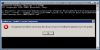
But when I want start verifying the program gives an error. (See attachment)

Could anyone help?

Thanks in advance
 

Attachments

  • xmllint.png
    xmllint.png
    13.8 KB · Views: 12
It looks like zlib1.dll file is missing in \Plesk\admin\bin folder. Try to place it there from the same Plesk installation.
 
File is in place. Thanks.

The validation worked and gave the usual error.
Now I need to use this KB item: http://kb.odin.com/en/8488


I'm confused. The resolution text says:
remove a section which starts with the "<Envelope" text at its beginning and everything in the "<Data>...</Data>" tag at its end.

But the example below it says something different.
<Envelope xmlns="urn:envelope"><Data> <- remove this line
</Data> <- remove this line and everything after it

What do I need to remove?
Really starting to doubt myself... Is it just me?
 
I've edited the .xml and now I get the following error.


C:\Documents and Settings\Administrator>"c:\Program files\swsoft\plesk\bin\xmllint.exe" --noout --schema "C:\Program Files\SWsoft\Plesk\PMM\plesk.xsd" "d:\plesk back-up\plesk\domeinen\backup_info_1007220216.xml"
file:///d:/plesk%20back-up/plesk/domeinen/backup_info_1007220216.xml:22127: element sapp-param: Schemas validity error : Element 'sapp-param': This element is not expected. Expected is ( sapp-spec ).
file:///d:/plesk%20back-up/plesk/domeinen/backup_info_1007220216.xml:65535: element sapp-param: Schemas validity error : Element 'sapp-param': This element is not expected. Expected is ( sapp-spec ).
d:\plesk back-up\plesk\domeinen\backup_info_1007220216.xml fails to validate

Is there a solution for this error?
 
Yes, it is known error but fix is very complex. Looks like Plesk could not dump Site applications. There are logs should be investigated and database corrected according information from logs. I suggest you contact support team. It is really complex problem and can't be fixed with forum's discussion.
 
Igor, thanks for your advice! I will contact support.

We have planned a migration to new servers for the Saturday.
Are these backup entirely useless? Of can they still be used?
 
Back
Top