• Debian 11 is approaching its end-of-life (vendor EOL date - August 31, 2026). Plesk Obsidian 18.0.80 will be the last release to support it.
    If you are running Plesk Obsidian on Debian 11, we recommend you upgrade those servers to Debian 12 using our dist-upgrade tool.
  • We plan to deprecate and remove the support for XML RPC protocol versions earlier than 1.6.9.1 in Plesk Obsidian 18.0.82. We strongly recommend that you update all existing integrations using earlier versions of the XML RPC protocol to comply with the version 1.6.9.1 specification.

Issue Language Packs not available

Esalogica

New Pleskian
In my Windows installation I can see only the English Language pack, there is no other option.
If I remember well all the languages pack are available for default.
I have no idea how to solve the problem.
 
What do you see in Tools&Settings > Languages and Tools&Settings > License Management > Language packs?
 
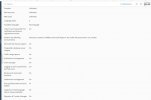
I see this message in the page of the extension: The license has been installed. To increase the amount of available resources, click "Upgrade" to buy either more licenses or a different license, depending on the extension.
 
Back
Top