Facebook
 Twitter
Максим Марченко
Basic Pleskian
Help install a new version of php server.
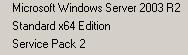
Here are the parameters of the server:

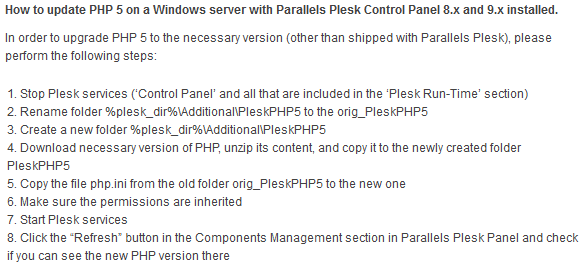
I read an article on how to upgrade:
downloaded PHP For Windows PHP 5.6 (5.6.11) VC11 x64 Thread Safe
I hope at least something that you need to download?
Renamed PleskPHP5 in orig_PleskPHP5
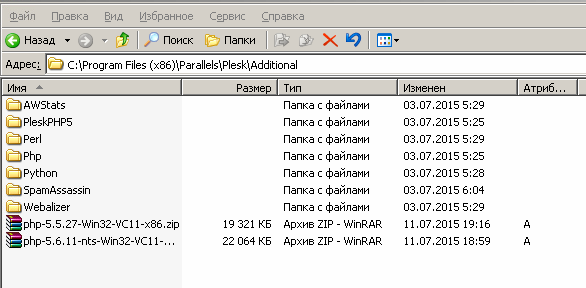
All did as instructed, and then went to the Control Panel and refresh the page:
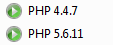
It shows the new version.I went to the domain settings and changed the configuration of the new version of php:

try to open the phpinfo ()
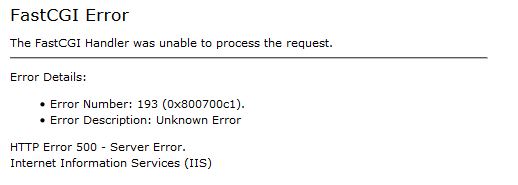
And I wrote:
500 Internal Server Error
Why does not it work?
Here are the parameters of the server:
I read an article on how to upgrade:
downloaded PHP For Windows PHP 5.6 (5.6.11) VC11 x64 Thread Safe
I hope at least something that you need to download?
Renamed PleskPHP5 in orig_PleskPHP5
All did as instructed, and then went to the Control Panel and refresh the page:
It shows the new version.I went to the domain settings and changed the configuration of the new version of php:
try to open the phpinfo ()
And I wrote:
500 Internal Server Error
Why does not it work?
Last edited: