Facebook
 Twitter
Richard Follett
Basic Pleskian
I have just installed WP plugin Sucuri and it has highlighted files that are not standard..
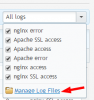
I would like to check logs but I am new to Plesk - ?
I do remember installing PHP newer version so might they have come from here?
wp-admin/includes/upgrade.php.orig
wp-admin/plugin-uploader.php
wp-admin/theme-uploader.php
wp-admin/uploader/pclzip.lib.php
wp-admin/uploader/upload.php
wp-includes/functions.php.orig
I am hoping this is not malware- virus
Thank you for your time
I would like to check logs but I am new to Plesk - ?
I do remember installing PHP newer version so might they have come from here?
wp-admin/includes/upgrade.php.orig
wp-admin/plugin-uploader.php
wp-admin/theme-uploader.php
wp-admin/uploader/pclzip.lib.php
wp-admin/uploader/upload.php
wp-includes/functions.php.orig
I am hoping this is not malware- virus
Thank you for your time