• Debian 11 is approaching its end-of-life (vendor EOL date - August 31, 2026). Plesk Obsidian 18.0.80 will be the last release to support it.
    If you are running Plesk Obsidian on Debian 11, we recommend you upgrade those servers to Debian 12 using our dist-upgrade tool.
  • We plan to deprecate and remove the support for XML RPC protocol versions earlier than 1.6.9.1 in Plesk Obsidian 18.0.82. We strongly recommend that you update all existing integrations using earlier versions of the XML RPC protocol to comply with the version 1.6.9.1 specification.

Resolved Migration error - disabled_algorithms

Nintendo4209

New Pleskian
Server operating system version
Ubuntu 22.04
Plesk version and microupdate number
Plesk Obsidian v18.0.49
Hi,

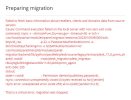
I try to migrate content from an old Ubuntu 14.04.6 (Plesk Onyx 17.8.11 Update #53) to a new one, but the migration process is not starging.
Capture30.JPG


On logs i have this error
+|2023-01-05_08:54:21,655|D|MT|core.workflow.runner.base|||MIGRATOR END: /opt/psa/admin/sbin/modules//panel-migrator/plesk-migrator generate-migration-list /opt/psa/var/modules/panel-migrator/sessions/20230105084812/config.ini --migration-list-format=json --migration-list-file=/opt/psa/var/modules/panel-migrator/sessions/20230105084812/migration-list-raw.json --skip-services-checks --include-existing-subscriptions --overwrite --reload-source-data
+|2023-01-05_08:54:21,656|E|MT|core.cli.common_cli|||Failed to check SSH connection to the source server 'source' (92.51.151.56): connect() got an unexpected keyword argument 'disabled_algorithms'

Any ideea how to fix it?

Best regards
 
There is a range of possible causes. Maybe this article can help?
Hi Peter,

The article did not help. The same issue.
 
What about
"got an unexpected keyword argument 'disabled_algorithms'"
Could this point to a misconfiguration of the source server? Have you tested that you can login with SSH to your source server from another location, e.g. using an SSH client like PuTTY?
 
"Could this point to a misconfiguration of the source server?" - Could be....but i can connect on server using a SSH client.
 
You will need an SSH connection to the source server. So your best bet will be to first setup SSH correctly on the source server and test if you can connect using any SSH client of your choice. If that works, than Plesk will also be able to connect.
 
Same issue
"Failed to check SSH connection to the source server 'source' (93.95.216.82): connect() got an unexpected keyword argument 'disabled_algorithms'"
I can connect via SSH from the target server to the source server, but cannot use Migration manager, and I need to migrate several domains and email accounts.
Please Help me
 
Same issue
"Failed to check SSH connection to the source server 'source' (93.95.216.82): connect() got an unexpected keyword argument 'disabled_algorithms'"
I can connect via SSH from the target server to the source server, but cannot use Migration manager, and I need to migrate several domains and email accounts.
Please Help me
In the end I switched to Ubuntu 20.04 and the migration went without problems
 
Same problem here:

Failed to check SSH connection to the source server 'source' (213.32.54.12): connect() got an unexpected keyword argument 'disabled_algorithms'

I tried with password and pair of keys. Ubuntu 14 => Ubuntu 14 (Plesk Onyx).
 
Back
Top