Facebook
 Twitter
- Server operating system version
- Ubuntu 22.04
- Plesk version and microupdate number
- 18.0.56 #4
Hello, I would like to migrate domains to our new server, but I am encountering an error. The page also doesn't seem to be very up-to-date! Can I ignore the error, or is there a solution for it? Thank you in advance.
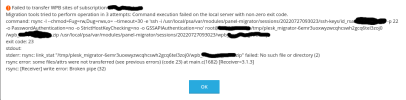
Failed to transfer WPB sites of subscription 'test123.de'
Migration tools tried to perform operation in 3 attempts: Command execution failed on the local server with non-zero exit code.
command: rsync -l --chmod=Fug=rw,Dug=rwx,o= --timeout=30 -e 'ssh -i /usr/local/psa/var/modules/panel-migrator/sessions/20220727093023/ssh-keys/id_rsa.XXX.XX.XX.XX -p 22 -o PasswordAuthentication=no -o StrictHostKeyChecking=no -o GSSAPIAuthentication=no' [email protected]:/tmp/plesk_migrator-iggr3a79cy0ju7oqep2cqe01d8jn1e0l/wpb_test123.de.zip /usr/local/psa/var/modules/panel-migrator/sessions/20220727093023/wpb_test123.de.zip
exit code: 23
stdout:
stderr: rsync: link_stat "/tmp/plesk_migrator-iggr3a79cy0ju7oqep2cqe01d8jn1e0l/wpb_test123.de.zip" failed: No such file or directory (2)
rsync error: some files/attrs were not transferred (see previous errors) (code 23) at main.c(1682) [Receiver=3.1.3]
rsync: [Receiver] write error: Broken pipe (32)
Failed to transfer WPB sites of subscription 'test123.de'
Migration tools tried to perform operation in 3 attempts: Command execution failed on the local server with non-zero exit code.
command: rsync -l --chmod=Fug=rw,Dug=rwx,o= --timeout=30 -e 'ssh -i /usr/local/psa/var/modules/panel-migrator/sessions/20220727093023/ssh-keys/id_rsa.XXX.XX.XX.XX -p 22 -o PasswordAuthentication=no -o StrictHostKeyChecking=no -o GSSAPIAuthentication=no' [email protected]:/tmp/plesk_migrator-iggr3a79cy0ju7oqep2cqe01d8jn1e0l/wpb_test123.de.zip /usr/local/psa/var/modules/panel-migrator/sessions/20220727093023/wpb_test123.de.zip
exit code: 23
stdout:
stderr: rsync: link_stat "/tmp/plesk_migrator-iggr3a79cy0ju7oqep2cqe01d8jn1e0l/wpb_test123.de.zip" failed: No such file or directory (2)
rsync error: some files/attrs were not transferred (see previous errors) (code 23) at main.c(1682) [Receiver=3.1.3]
rsync: [Receiver] write error: Broken pipe (32)