• The APS Catalog has been deprecated and removed from all Plesk Obsidian versions.
    Applications already installed from the APS Catalog will continue working. However, Plesk will no longer provide support for APS applications.
  • Please be aware: with the Plesk Obsidian 18.0.78 release, the support for the ngx_pagespeed.so module will be deprecated and removed from the sw-nginx package.

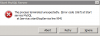
Mysql could not start

ThanhN

Basic Pleskian
Hello to day i have this problem. I can't start MYSQL. How can i fix this? :(

Thank you
 

Attachments

  • Untitled.png
    Untitled.png
    5.8 KB · Views: 7
  • My-Server.zip
    1.3 KB · Views: 1
Last edited:
Looks like InnoDB database is corrupted. Try to use MySQL methods for fixing this problem. You can find it on page mentioned in error log or other mysql documentation. This article http://kb.parallels.com/en/6586 also may be useful. Contact Support Team if you are not familiar with MySQL recovering.
 
Looks like InnoDB database is corrupted. Try to use MySQL methods for fixing this problem. You can find it on page mentioned in error log or other mysql documentation. This article http://kb.parallels.com/en/6586 also may be useful. Contact Support Team if you are not familiar with MySQL recovering.

Thank you for your quick answer

i have some new information in CMD when start MYSQL

"C:\Program Files (x86)\Parallels\Plesk\Databases\MySQL51\bin>mysqld start
140324 14:47:15 [Warning] Can't create test file C:\Program Files (x86)\Parallels\Plesk\Databases\MySQL51\data\TND-SV1.lower-test
mysqld: Can't change dir to 'C:\Program Files (x86)\Parallels\Plesk\Databases\MySQL51\data\' (Errcode: 2)
140324 14:47:15 [ERROR] Aborting

140324 14:47:15 [Note] mysqld: Shutdown complete"


In http://kb.parallels.com/en/6586

i have set "innodb_force_recovery = 4" for dump database but MySQL Server still same error. Do you have any idea ?
 
Last edited:
Back
Top