
 Facebook
 Twitter
- Server operating system version
- Ubuntu 20.04.6 LTS
- Plesk version and microupdate number
- Plesk Obsidian 18.0.74 Update #3
Hello,
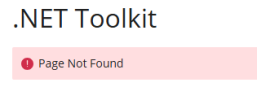
after the latest Update of the net-Toolkit it is impossible to open the settings for the .net Website, it displays only this message

Trying to access the general extension page where I can install the .Net Core versions displays this.
The full stacktrace is as followed:
Uninstalling and reinstalling does not help.
Additionally, if I add environment variables to this, where are they stored on the server? I'd really need to set up some environment variables for the websites.
after the latest Update of the net-Toolkit it is impossible to open the settings for the .net Website, it displays only this message
Trying to access the general extension page where I can install the .Net Core versions displays this.
The full stacktrace is as followed:
Code:
Action "undefined" does not exist and was not trapped in __call():
0: /opt/psa/admin/plib/vendor/plesk/zf1/library/Zend/Controller/Action.php:485
    Zend_Controller_Action->__call(string 'undefinedAction', array)
1: /opt/psa/admin/plib/vendor/plesk/zf1/library/Zend/Controller/Action.php:518
    Zend_Controller_Action->dispatch(string 'undefinedAction')
2: /opt/psa/admin/plib/vendor/plesk/zf1/library/Zend/Controller/Dispatcher/Standard.php:308
    Zend_Controller_Dispatcher_Standard->dispatch(object of type Zend_Controller_Request_Http, object of type Zend_Controller_Response_Http)
3: /opt/psa/admin/plib/vendor/plesk/zf1/library/Zend/Controller/Front.php:954
    Zend_Controller_Front->dispatch()
4: /opt/psa/admin/plib/pm/Application.php:87
    pm_Application->run()
5: /opt/psa/admin/htdocs/modules/dot-net/index.php:4
Uninstalling and reinstalling does not help.
Additionally, if I add environment variables to this, where are they stored on the server? I'd really need to set up some environment variables for the websites.


