
 Facebook
 Twitter
If one adds this repo does the install update with new nightlies every time one does apt update?The SOGo Webmail extension installs SOGo from two different repositories; it depends on the used OS;
(c) extension's description
During the first installation, the extension adds a repository to the system package manager; stable packages come from the OS vendor repository, and nightly packages come from the SOGo vendor.
The ability to install a new version depends on the repository. Does it have the required package? If yes, then the system package manager should be able to install it as a regular package update; nothing special is required.
Just an example with Ubuntu 22 and nightly repository (Version: 5.11.2.20250121-1):
Code:# plesk version Product version: Plesk Obsidian 18.0.66.2 OS version: Ubuntu 22.04 x86_64 Build date: 2025/01/06 19:00 Revision: fcc3e7658544f6ffd1277b651affa9f4bb30e613 # apt info sogo | grep -E '^(Package|Version|APT-Sources)' Package: sogo Version: 5.11.2.20250121-1 APT-Sources: https://packages.sogo.nu/nightly/5/ubuntu jammy/jammy amd64 Packages
-
The new Python extension is now available. It allows customers to deploy and manage WSGI-based Python applications on their websites directly from Plesk.
-
Debian 11 has reached its end-of-life (vendor EOL date - August 31, 2026). Plesk Obsidian 18.0.81 is the last release to support it.
If you are running Plesk Obsidian on Debian 11, we recommend you upgrade those servers to Debian 12 using our dist-upgrade tool.
You are using an out of date browser. It may not display this or other websites correctly.
You should upgrade or use an alternative browser.
You should upgrade or use an alternative browser.
Important New Plesk webmail / SOGo Webmail extension
- Thread starter AYamshanov
- Start date
-
- Tags
- pps-19218

Yes, updating will work in a standard way, as the package manager usually does. But this also means that even if the latest package contains some incompatibility or bugs, it will still be installed; nightly packages' compatibility is not guaranteed.

Hello everyone,
I got active-sync working with the SOGo extension.
Currently not using it in production but the first tests with calendar, contacts, notes and mail are looking good.
What I did:
Happy mailing
- Install SOGo extension
- Install active-sync package
Bash:sudo apt install sogo-activesync- Update the SOGo config to enable active-sync in SOGo
- Copy the template plesk uses, for the sogo.conf file, to the custom template location
Bash:cp -a /usr/local/psa/var/modules/sogo/templates/sogo.template.twig /usr/local/psa/var/modules/sogo/custom_templates/- Edit the template file in the custom_templates directory
Bash:nano /usr/local/psa/var/modules/sogo/custom_templates/sogo.template.twig- Add the following lines somewhere inside the brackets and save
Bash:SOGoEnableEAS = YES; SOGoEASDisableUI = NO;- Update the nginx config file to proxy active-sync request to SOGo
- Copy the template plesk uses, for the nginx config, to the custom template location
Bash:cp -a /usr/local/psa/var/modules/sogo/templates/nginx.template.twig /usr/local/psa/var/modules/sogo/custom_templates/- Edit the template file in the custom_templates directory
Bash:nano /usr/local/psa/var/modules/sogo/custom_templates/nginx.template.twig- Add the following lines inside the brackets and save
NGINX:location /Microsoft-Server-ActiveSync { access_log /var/log/nginx/activesync.log; # deny anonymous; deny other http methods if ( $remote_user = "" ) { return 444; break; } if ( $request_method !~* ^(POST|OPTIONS)$ ) { return 444; break; } # extract domain and user-id if ( $remote_user ~* ^(.+)\x5C(.+)$ ) { set $domain $1; set $userid $2; } if ( $remote_user !~* ^(.+)\x5C(.+)$ ) { return 444; break; } # replace underscores in username if ( $userid ~* ^(.+)_(.+)$ ) { set $userdn $1x$2; } if ( $userid !~* ^(.+)_(.+)$ ) { set $userdn $userid; } # extract device-type and version if ( $http_user_agent ~* ^MSFT-(.+)/(.+)\.(.+)\.(.+)$ ) { set $device MSFT$1; set $versio $2x$3x$4; } if ( $http_user_agent ~* ^Apple-iPhone(.*)/(.+)\.(.+)$ ) { set $device iPhone; set $versio $1x$2x$3; } if ( $http_user_agent ~* ^Apple-iPad(.+)/(.+)\.(.+)$ ) { set $device iPad; set $versio $1x$2x$3; } if ( $http_user_agent ~* ^Apple-iPod(.+)/(.+)\.(.+)$ ) { set $device iPod; set $versio $1x$2x$3; } if ( $http_user_agent ~* ^Android-(.+)/(.+)\.(.+)$ ) { set $device Android; set $versio $1x$2x$3; } # always allow initial requests without arguments set $initia $request_method:$args; if ( $initia ~* ^OPTIONS:$ ) { set $target $domain-exchange; set $versio ok; } if ( $versio = "" ) { return 444; break; } # set target, if usernames match if ( $userid = $arg_User ) { set $target $domain-$userdn-$arg_DeviceId-$device-$versio; } # forward request proxy_pass http://127.0.0.1:20000/SOGo/Microsoft-Server-ActiveSync; }- Now you need to reconfigure plesk web-server as well as SOGo
Bash:plesk sbin httpdmng --reconfigure-all plesk ext sogo configure
@AYamshanov anything holding this back being implemented by plesk directly?
Client setup
- Apple Mail on iPhone (Tested)
- Select "Microsoft Exchange"
- Enter email
- Select Manual setup
- For server and domain enter your webmail domain
- Enter password
Work in progress
References
- Since the templates are only for the extension and therefore only apply to the webmail the active-sync is configured on the webmail subdomain not on the main domain, as you can see in the client setup
- If thats a problem you can manually add the nginx directive from step 4.3. to you domain.
Just go to your domain in plesk select "Hosting & DNS", and click on "Apache & nginx". There all the way at the bottom add the additional nginx directive.- I did some testing with emails but noticed there are some default folders missing, investigating that currently
- I found the package for active-sync in a documentation of iredmail: Exchange ActiveSync: Setup Outlook 2013 for Windows
- How the templates of the config files work you can read in this file
Bash:cat /usr/local/psa/var/modules/sogo/templates/README.md- I would appreciate if anyone has more insight of the config variables, I just got the mentioned two from plesk support
- For the nginx config I found documentation by iredmail with a short version here: Install SOGo groupware on CentOS 6 with iRedMail (MySQL backend)
- In the end I decided to go with a config from nginx documentation here: SSL-Offloader | NGINX
I love that Dennis was able to do this, has anyone been able to expand on the "work in progress", or find a better way to use ActiveSync without the cost of Plesk Advanced Mail?
Plesk supports CloudLinux, but apparently not with SOGo Webmail. Really?
Just for the history, based on the SOGo website, they do not say they support CloudLinux (Installation and Configuration Guide I think it is absolutely normal if Plesk does not provide supporting one 3rd party solution on top of another 3rd-party solution. If you have any other information regarding supporting SOGo on CloudLinux 8/9, please let us know.
Hello everyone,
I got active-sync working with the SOGo extension.
Currently not using it in production but the first tests with calendar, contacts, notes and mail are looking good.
What I did:
Happy mailing
- Install SOGo extension
- Install active-sync package
Bash:sudo apt install sogo-activesync- Update the SOGo config to enable active-sync in SOGo
- Copy the template plesk uses, for the sogo.conf file, to the custom template location
Bash:cp -a /usr/local/psa/var/modules/sogo/templates/sogo.template.twig /usr/local/psa/var/modules/sogo/custom_templates/- Edit the template file in the custom_templates directory
Bash:nano /usr/local/psa/var/modules/sogo/custom_templates/sogo.template.twig- Add the following lines somewhere inside the brackets and save
Bash:SOGoEnableEAS = YES; SOGoEASDisableUI = NO;- Update the nginx config file to proxy active-sync request to SOGo
- Copy the template plesk uses, for the nginx config, to the custom template location
Bash:cp -a /usr/local/psa/var/modules/sogo/templates/nginx.template.twig /usr/local/psa/var/modules/sogo/custom_templates/- Edit the template file in the custom_templates directory
Bash:nano /usr/local/psa/var/modules/sogo/custom_templates/nginx.template.twig- Add the following lines inside the brackets and save
NGINX:location /Microsoft-Server-ActiveSync { access_log /var/log/nginx/activesync.log; # deny anonymous; deny other http methods if ( $remote_user = "" ) { return 444; break; } if ( $request_method !~* ^(POST|OPTIONS)$ ) { return 444; break; } # extract domain and user-id if ( $remote_user ~* ^(.+)\x5C(.+)$ ) { set $domain $1; set $userid $2; } if ( $remote_user !~* ^(.+)\x5C(.+)$ ) { return 444; break; } # replace underscores in username if ( $userid ~* ^(.+)_(.+)$ ) { set $userdn $1x$2; } if ( $userid !~* ^(.+)_(.+)$ ) { set $userdn $userid; } # extract device-type and version if ( $http_user_agent ~* ^MSFT-(.+)/(.+)\.(.+)\.(.+)$ ) { set $device MSFT$1; set $versio $2x$3x$4; } if ( $http_user_agent ~* ^Apple-iPhone(.*)/(.+)\.(.+)$ ) { set $device iPhone; set $versio $1x$2x$3; } if ( $http_user_agent ~* ^Apple-iPad(.+)/(.+)\.(.+)$ ) { set $device iPad; set $versio $1x$2x$3; } if ( $http_user_agent ~* ^Apple-iPod(.+)/(.+)\.(.+)$ ) { set $device iPod; set $versio $1x$2x$3; } if ( $http_user_agent ~* ^Android-(.+)/(.+)\.(.+)$ ) { set $device Android; set $versio $1x$2x$3; } # always allow initial requests without arguments set $initia $request_method:$args; if ( $initia ~* ^OPTIONS:$ ) { set $target $domain-exchange; set $versio ok; } if ( $versio = "" ) { return 444; break; } # set target, if usernames match if ( $userid = $arg_User ) { set $target $domain-$userdn-$arg_DeviceId-$device-$versio; } # forward request proxy_pass http://127.0.0.1:20000/SOGo/Microsoft-Server-ActiveSync; }- Now you need to reconfigure plesk web-server as well as SOGo
Bash:plesk sbin httpdmng --reconfigure-all plesk ext sogo configure
@AYamshanov anything holding this back being implemented by plesk directly?
Client setup
- Apple Mail on iPhone (Tested)
- Select "Microsoft Exchange"
- Enter email
- Select Manual setup
- For server and domain enter your webmail domain
- Enter password
Work in progress
References
- Since the templates are only for the extension and therefore only apply to the webmail the active-sync is configured on the webmail subdomain not on the main domain, as you can see in the client setup
- If thats a problem you can manually add the nginx directive from step 4.3. to you domain.
Just go to your domain in plesk select "Hosting & DNS", and click on "Apache & nginx". There all the way at the bottom add the additional nginx directive.- I did some testing with emails but noticed there are some default folders missing, investigating that currently
- I found the package for active-sync in a documentation of iredmail: Exchange ActiveSync: Setup Outlook 2013 for Windows
- How the templates of the config files work you can read in this file
Bash:cat /usr/local/psa/var/modules/sogo/templates/README.md- I would appreciate if anyone has more insight of the config variables, I just got the mentioned two from plesk support
- For the nginx config I found documentation by iredmail with a short version here: Install SOGo groupware on CentOS 6 with iRedMail (MySQL backend)
- In the end I decided to go with a config from nginx documentation here: SSL-Offloader | NGINX
I couldn't for the life of me get the SOGo-ActiveSync to work, but looking at the config:
Bash:
sudo grep 'viewURL' /etc/sogo/sogo.conf
Code:
viewURL = "mysql://sogo_USERNAME:sogo_PASSWORD@localhost:3306/sogo_DATABASE/sogo_users_view";And using the output of the grep (username/database/password) to look in the database:
Bash:
mysql -h localhost -P 3306 -u sogo_USERNAME -p sogo_DATABASEOnce in the SQL console, query the user:
SQL:
MariaDB [sogo_DATABASE]> SELECT * FROM sogo_users_view;
+----------------+----------------+----------------+----------------+-------------------------------+-----------+
| c_uid          | c_name         | c_cn           | mail           | c_password                    | domain    |
+----------------+----------------+----------------+----------------+-------------------------------+-----------+
| [email protected] | [email protected] | [email protected] | [email protected] | {SSHA512}SomeLongShah512Hash= | domain.uk |
+----------------+----------------+----------------+----------------+-------------------------------+-----------+
1 row in set (0.000 sec)
I realised the usernames are stored as `[email protected]`. But the original code was only allowing usernames in the format domain.uk\username. I could get it to work if I used domain.uk\[email protected]. So I updated the nginx code:
Edit the `nginx.template.twig` custom template:
Bash:
sudo nano /usr/local/psa/var/modules/sogo/custom_templates/nginx.template.twigI replaced these lines from @Dennis Rahmen:
NGINX:
        if ( $remote_user     ~* ^(.+)\x5C(.+)$ )   { set $domain $1; set $userid $2; }
        if ( $remote_user    !~* ^(.+)\x5C(.+)$ )   { return 444; break; }
with these lines
NGINX:
        # Initialize variables
        set $userid "";
        set $domain "";

        # Extract domain and user-id when used in the format domain\user@domain
        if ( $remote_user ~* ^(.+)\x5C(.+)@(.+)$ ) { set $userid $2@$3; set $domain $1; }

        # Extract domain and user-id when used in the format user@domain
        if ( $remote_user ~* ^([^\\\]+)@(.+)$ )    { set $userid $remote_user; set $domain $2; }

        # Extract domain and user-id when used in the format domain\user
        if ( $remote_user ~* ^(.+)\x5C([^@]+)$ )   { set $domain $1; set $userid $2@$1; }

        # If it is neither of the three options, so $userid or $domain is empty, exit out
        if ( $userid = "" ) { return 444; break; }
        if ( $domain = "" ) { return 444; break; }

        # OLD ENTRIES PREVIOUSLY USED
        #if ( $remote_user     ~* ^(.+)\x5C(.+)$ )   { set $domain $1; set $userid $2; }
        #if ( $remote_user    !~* ^(.+)\x5C(.+)$ )   { return 444; break; }
Then reconfigure the Plesk web server and SOGo extension
Bash:
sudo plesk sbin httpdmng --reconfigure-all
sudo plesk ext sogo configure
For me on Android, it wouldn't accept domain.uk\user, but I've left it in as it sounds like it does work for Apple devices.
Tested on Gmail app on Android:
- Open Gmail app
- Select the circle top right
- Select Add another account
- Select Exchange and Office 365
- Email: Enter your email address as [email protected]
- Select Set up manually
- Account Infosection
- Email: Email address should be entered already
- Password: Enter your password
- Client certificate: None already selected
- Server Settingssection
- Domain\Username: Email address already entered
- Server: Domain already entered, add "webmail" at the beginning (so it becomes webmail.domain.uk)
- Port: 443 already entered
- Security type: SSL/TLS already selected
- Click Next
- Click Done

It seems this commit in SOGo caused the problem and was rolled into yesterday's nightly build: fix(mail): escape angularJS directive for description · Alinto/sogo@47133fd
I attempted to somehow send them a bug report, but for regular users that is basically impossible - even after registering on their bug tracker it was not possible to actually file a bug, as users only have 'watcher' status.
It however seems they already noticed the problem themselves and corrected it in this commit: fix(bug): incorrect method called · Alinto/sogo@1caa257
So I hope the next nightly build will no longer have this problem.
I attempted to somehow send them a bug report, but for regular users that is basically impossible - even after registering on their bug tracker it was not possible to actually file a bug, as users only have 'watcher' status.
It however seems they already noticed the problem themselves and corrected it in this commit: fix(bug): incorrect method called · Alinto/sogo@1caa257
So I hope the next nightly build will no longer have this problem.
I can confirm that after applying today's nightly build the problem is resolved.
Also, because I see no other way to inform you:
I am for some reason blocked from posting new threads on this forum, but I can post replies to already existing threads without problem.
Next to the "There was an error" message in the UI of the forum, I receive this error in the development console of the browser, hinting at a Cloudflare issue:
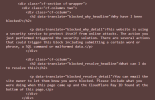
I originally intended to create a new thread for this issue, but wasn't able to due to this.
I'm using a business line with a static IP, but there is no services (like mail or similar) running on it and the reputation of the IP is fine on all checkers.
Just in case you could fix this for the future.
Also, because I see no other way to inform you:
I am for some reason blocked from posting new threads on this forum, but I can post replies to already existing threads without problem.
Next to the "There was an error" message in the UI of the forum, I receive this error in the development console of the browser, hinting at a Cloudflare issue:
I originally intended to create a new thread for this issue, but wasn't able to due to this.
I'm using a business line with a static IP, but there is no services (like mail or similar) running on it and the reputation of the IP is fine on all checkers.
Just in case you could fix this for the future.
Thank you for the confirmation that the issue with Sogo is resolved, @D3nnis3n .
Regarding the posting issue on the forum - could you please open the browser console, attempt to replicate the issue and copy the
Regarding the posting issue on the forum - could you please open the browser console, attempt to replicate the issue and copy the
cf-ray code from the response header? You can send it to me in a private message. Thank you in advance.I will the next time I need to create a thread and it doesn't work.
It currently looks like I would be able to send something (I can switch to BBCode mode, which was also blocked when I was blocked from sending the thread) and I don't want to create a useless thread Thanks for letting me know I can send a DM, I hope I would actually be able to do so if I'm blocked again, though.
It currently looks like I would be able to send something (I can switch to BBCode mode, which was also blocked when I was blocked from sending the thread) and I don't want to create a useless thread
Thanks for letting me know I can send a DM, I hope I would actually be able to do so if I'm blocked again, though.Similar threads

- Replies
- 0
- Views
- 856
- Replies
- 4
- Views
- 2K
- Replies
- 4
- Views
- 3K
- Replies
- 11
- Views
- 16K

- Replies
- 5
- Views
- 5K
