
 Facebook
 Twitter
transverseflow
New Pleskian
Hi - I'm having issues with ASP.NET support on new server.
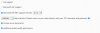
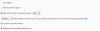
Plesk is showing 4.7.2 on the new server and 4.8 on the old server which is causing issues with the website I'm hosting.
See attached.
How do I update to 4.8 - I cannot find the option anywhere ?
Many thanks
New server
Old server
Plesk is showing 4.7.2 on the new server and 4.8 on the old server which is causing issues with the website I'm hosting.
See attached.
How do I update to 4.8 - I cannot find the option anywhere ?
Many thanks
New server
Old server


