• The new Python extension is now available. It allows customers to deploy and manage WSGI-based Python applications on their websites directly from Plesk.
  • The Plesk Mobile apps for iOS and Android and the Plesk Mobile Center extension have been deprecated, and are no longer available for new installations. In Plesk Obsidian 18.0.84, the Plesk Mobile Center extension will be removed from servers during the upgrade, and the Plesk Mobile apps will lose their server management features.
  • The Social Login extension has been deprecated and will be removed in Plesk Obsidian 18.0.84. After that, it will no longer be possible to log in to Plesk with a Google, Facebook, GitHub account, or with a passkey. Plesk usernames and passwords, as well as logging in with a WebPros Account, are not affected.

Parallels Panel not reporting bandwidth (GoDaddy Virtual Dedicated Server)

S

Snuggy

Guest
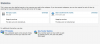
My Parallels Panel is not reporting any bandwidth info. I have purchased the Parallels Plesk Panel & Parallels Plesk Panel Power Pack with GoDaddy and was directed to this forum for help as Parallels is not reporting any bandwidth – all other options, CPU, Memory etc work fine. Wondering if there’s some sort of setting to enable/configure it?
 

Attachments

  • stats.png
    stats.png
    68.9 KB · Views: 3
Thanks but on Parallels 11 and don't appear to have "statistics" in /usr/local/psa/admin/sbin/statistics
 
Sorry about that, indeed I did find the statistics utility and tried "./statistics --calculate-all" and "./statistics --calculate-one --domain-name=<domain_name>" but my bandwidth data is still all zero.
 
I spoke too soon. OK that did it, just took while to crunch the numbers but it's totally inaccurate. It says I used 4MB yet I downloaded several 400MB files via HTTP just yesterday :(

Should I add this to a cron job to say run every 12 hours?
 
Back
Top