• The APS Catalog has been deprecated and removed from all Plesk Obsidian versions.
    Applications already installed from the APS Catalog will continue working. However, Plesk will no longer provide support for APS applications.
  • Please be aware: with the Plesk Obsidian 18.0.78 release, the support for the ngx_pagespeed.so module will be deprecated and removed from the sw-nginx package.

Parallels Plesk Asking Windows password

bartabc

Basic Pleskian
Hello,

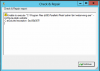
I don´t know how to fix this issue. When i tried access parallels plesk panel 11.5 it´s show windows password, if i enter Administrator credentials i see login of parallels, if i cancell i receive this error: "401 - Unauthorized: Access is denied due to invalid credentials."

I also tried use reconfigurator but i receive this error on attach 2
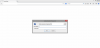
attach1.png
attach2.png

How can i fix this issue.
 
Try to fix it with

C:\>"%plesk_cli%\repair.exe" --regenerate-web-server-users-password
C:\>"%plesk_cli%\repair.exe" --synchronize-impersonation-storage
 
Igor thanks for your reply but when i run first command i receive:

Microsoft Windows [Version 6.2.9200]
(c) 2012 Microsoft Corporation. All rights reserved.

C:\Users\Administrator>cd %plesk_cli%

C:\Program Files (x86)\Parallels\Plesk\bin>repair.exe --regenerate-web-server-us
ers-password
command --update-accounts-password not supported. Possible commands is:
--help
--install
--uninstall
--add-ip-address
--remove-ip-address
--change-ip-address
--add-domain
--remove-domain
--install-vhost
--reconfigure-vhost
--update-vhost
--reconfigure-vhosts
--remove-vhost
--rename-vhost
--start-vhost
--stop-vhost
--get-vhost-log-dir
--list-vhost-log-dirs
--get-vhost-default-doc
--add-alias
--remove-alias
--rename-alias
--change-alias-type
--reconfigure-all
--reconfigure-ip-all
--remove-all
--set-certificate
--add-subdomain
--remove-subdomains
--update-subdomain
--rename-subdomain
--start-subdomain
--stop-subdomain
--add-web-user
--remove-web-users
--update-web-user
--update-web-users
--add-hotlink-protection
--remove-hotlink-protection
--add-tomcat
--remove-tomcat
--add-protection
--remove-protections
--update-protection
--change-admin-email
--set-default-domain
--reset-default-domain
--status
--start
--stop
--restart
--restart-tomcat
--install-fp
--remove-fp
--enable-fp
--disable-fp
--rename-admin-fp
--change-password-fp
--add-fp-user
--rename-fp-user
--remove-fp-user
--update-fp-mail-settings
--update-fp-settings
--set-vhost-performance
--get-vhost-performance
--set-subdomain-performance
--get-subdomain-performance
--get-domains-performance
--set-vhost-mime-types
--get-vhost-mime-types
--set-mime-types
--get-mime-types
--list-wellknown-content-types
--set-global-mime-type
--get-vhosts-mime-types
--get-error-docs
--set-error-docs
--get-vhosts-error-docs
--get-vdir-subtree
--list-vdirs
--list-vhosts-vdirs
--exists-vdir
--get-vdir
--add-vdir
--update-vdir
--update-vdirs
--remove-vdir
--rename-vdir
--copy-vdir
--add-fs-common-vdirs
--remove-fs-common-vdirs
--add-fs-private-vdir
--remove-fs-private-vdir
--create-fs-users
--enable-webdav
--list-wdirs
--get-wdirs-subtree
--remove-wdir
--rename-wdir
--add-extension
--remove-extension
--allow-extension
--prohibit-extension
--get-global-filter-executable
--add-global-filter
--remove-global-filter
--add-application
--remove-application
--add-aps-application
--set-scripts
--get-scripts
--update-client-app-pool
--rename-client-app-pool
--update-domain-app-pool
--update-domain-app-pool-all
--get-vhost-app-pool
--exists-app-pool
--get-app-pool
--update-app-pool
--start-app-pool
--stop-app-pool
--recycle-app-pool
--get-clients-pools
--get-domains-pools
--set-shared-ssl-domain
--reset-shared-ssl-domain
--add-shared-ssl-link
--remove-shared-ssl-link
--rename-shared-ssl-link
--update-shared-ssl-link
--update-shared-ssl-link-all
--update-log-rotation
--list-servers
--get-server-id
--update-all-server-id
--update-webmail-link
--reconfigure-webmail
--add-webmail-site
--remove-webmail-site
--update-webmail-sites-identity
--update-sqladmin-link
--reconfigure-sqladmin
--update-anon-password
--update-anon-passwords-all
--remove-sites-cache
--update-www-prefix
--add-cfide
--remove-cfide
--exist-delegation-rule
--add-delegation-rule-user
--remove-delegation-rule-user
--add-panel-virtual-dir
--install-certificate
--update-web-config
--enable32bitAppOnWin64
--configure-anonymous-access
--update-webmail-binding
--add-error-docs-vdir
--update-domains-ssl-bindings
--add-powered-by-plesk-http-header
--create-administration-config-link
--configure-plesk-website
--start-plesk-website
--stop-plesk-website
(Error code 1)
 
Back
Top