Follow along with the video below to see how to install our site as a web app on your home screen.
Note: This feature may not be available in some browsers.
The APS Catalog has been deprecated and removed from all Plesk Obsidian versions. Applications already installed from the APS Catalog will continue working. However, Plesk will no longer provide support for APS applications.
Please be aware: with the Plesk Obsidian 18.0.78 release, the support for the ngx_pagespeed.so module will be deprecated and removed from the sw-nginx package.
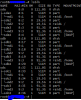
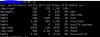
Looks like you use three disks in RAID1. The raid-disk consists of /, /home and swap. I think Plesk and all data use root partition. Did you see Hard Drive Partitioning for Plesk ?
By default, Plesk for Linux stores user data in the /var directory. On your server /var is part of the root partition that's why 93% of / is used.
I suggest using part of /home as /var, but I don't know an easy way to change this on a production server.