• The new Python extension is now available. It allows customers to deploy and manage WSGI-based Python applications on their websites directly from Plesk.
  • The Plesk Mobile apps for iOS and Android and the Plesk Mobile Center extension have been deprecated, and are no longer available for new installations. In Plesk Obsidian 18.0.84, the Plesk Mobile Center extension will be removed from servers during the upgrade, and the Plesk Mobile apps will lose their server management features.
  • The Social Login extension has been deprecated and will be removed in Plesk Obsidian 18.0.84. After that, it will no longer be possible to log in to Plesk with a Google, Facebook, GitHub account, or with a passkey. Plesk usernames and passwords, as well as logging in with a WebPros Account, are not affected.

Issue Permission denied for Files on Domain dashboard

BigDaddy

New Pleskian
Server operating system version
AlammLinux 10.1
Plesk version and microupdate number
18.0.76
Recently migrated some sites from a Cent OS 7.x to Alma using the migrator. The last time I used it it was great. This last time it basically sucked pretty bad but eventually got the job mostly done with one persisting issue:

SOME not ALL domains get a permission denied when trying to access the files tool. Most domains are OK. Dashboard loads fine and other functions appear to work as expected
Permissions appear correct
Owners and groups appear correct
Reset them all
Ran many of the plesk repair tools
Checked for ID collision
And a few other steps.

Hoping someone else has experienced this and has a solution.


Thanks!
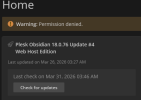
1774971917891.png
 
[2026-03-31 11:52:41.006] 3400091:69cbedc9019fe ERR [panel] PleskPermissionDeniedException: Permission denied.
file: /usr/local/psa/admin/application/smb/controllers/FileManagerController.php
line: 71
code: 0
 
Happens sometimes, log into your server vs SSH and run:

Bash:
plesk repair fs -system

That should repair all the permissions and the warning go away.
 
Please try the following for a domain name related to the issue:

Code:
plesk db
select webspace_status from domains where name = 'example.com';

If the status returned is 16. Please run:

Code:
plesk bin subscription --webspace-on example.com
 
Please try the following for a domain name related to the issue:

Code:
plesk db
select webspace_status from domains where name = 'example.com';

If the status returned is 16. Please run:

Code:
plesk bin subscription --webspace-on example.com
Thanks that worked. There were 7 domains total that listed as active and also activated by the command line that were problematical after migration that are now fixed.

plesk db "select webspace_status from domains where name = 'example.com';"
plesk bin subscription --webspace-on example.com
 
Back
Top