Follow along with the video below to see how to install our site as a web app on your home screen.
Note: This feature may not be available in some browsers.
The new Python extension is now available. It allows customers to deploy and manage WSGI-based Python applications on their websites directly from Plesk.
The Plesk Mobile apps for iOS and Android and the Plesk Mobile Center extension have been deprecated, and are no longer available for new installations. In Plesk Obsidian 18.0.84, the Plesk Mobile Center extension will be removed from servers during the upgrade, and the Plesk Mobile apps will lose their server management features.
The Social Login extension has been deprecated and will be removed in Plesk Obsidian 18.0.84. After that, it will no longer be possible to log in to Plesk with a Google, Facebook, GitHub account, or with a passkey. Plesk usernames and passwords, as well as logging in with a WebPros Account, are not affected.
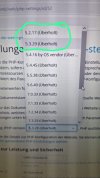
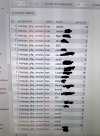
I want to assign a PHP version to a customer that is installed on the server, however, this version is not displayed for them, while it is displayed for other customers on this server.
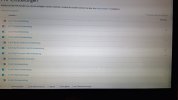
How do I activate the missing PHP versions for this customer?
Hello, @sam.schwedler . Are you logged in with the same user while attempting to perform the change for the subscription? For the sake of testing, could you please temporarily change the service plan of the problematic subscription and assign it a plan matching the subscriptions you see the PHP versions available for?
Thank you. All appears to be good with the permissions. Could you please also execute the following command and confirm whether the missing PHP version appears there:
Code:
plesk bin php_handler --list
If yes, kindly provide all lines matching the PHP version. Thanks in advance.
Thank you for all your cooperation, but I am afraid that I am out of suggestions on what might be causing the issue with that particular user only. I would suggest opening a ticket with Plesk support for further investigation on your server. To sign-in and open a ticket please go to:
If you got your license from a reseller, your reseller is in charge of providing you with support. You can raise the inquiry with them and they can forward it to our team for further processing. If the reseller does not provide support, here is an alternative to get support directly from Plesk: