• The APS Catalog has been deprecated and removed from all Plesk Obsidian versions.
    Applications already installed from the APS Catalog will continue working. However, Plesk will no longer provide support for APS applications.
  • Please be aware: with the Plesk Obsidian 18.0.78 release, the support for the ngx_pagespeed.so module will be deprecated and removed from the sw-nginx package.

Issue Plesk 18.0.74 too short log page (only 5 lines)

manos

Basic Pleskian
Server operating system version
Almalinux 9.6
Plesk version and microupdate number
18.0.74
Hi,

Updated to 18.0.74 at ma y servers and logs at each domain appear only in 5 lines and need to scroll and scroll up.
Was ok till 18.0.73
 
The issue was registered as a bug with ID PPP-70078 and it will be fixed in upcoming Plesk release (18.0.75).
 
Unfortunatly this issue is seen here to. Quite annoying, when monitoring a subscription's traffic during black week.
 
Unfortunatly this issue is seen here to. Quite annoying, when monitoring a subscription's traffic during black week.
Yes, that's right, I also had a problem with frozen backup loops, I also contacted support, but haven't received a response yet.
 
would you be able to provide a patch for this issue before the Plesk Obsidian 18.0.75. update?

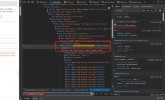
The only workaround we can suggest until the bug fix is released is to is to add the overflow: visible style to the element with the scrollable-list-wrapper class. This can be done through the browser's developer tools.

1. Hover over the table, right click and choose the "Inspect" option.
2. Locate the "scrollable-list-wrapper" class.
3. Under "Styles" locate .scrollable-list-wrapper and update overflow: auto to overflow: visible

Screenshot attached for better reference
 

Attachments

  • 1764155644584.png
    1764155644584.png
    222.3 KB · Views: 11
Something needs to happen immediately, because why am I paying monthly license fees for this software? I'm not going to waste my time dealing with this.
 
I am sure that Plesk is already working on a fix.

In the meantime, take a look at my instructions to insert custom CSS.

Or use the command line to monitor the logs:
Code:
tail -f /var/www/vhosts/system/domain.com/logs/proxy_access_ssl_log
tail -f /var/www/vhosts/system/domain.com/logs/proxy_error_log

To monitor multiple subscriptions at the same time, use this:
Code:
tail -f /var/www/vhosts/system/*/logs/proxy_access_ssl_log
tail -f /var/www/vhosts/system/*/logs/proxy_error_log
 
I am sure that Plesk is already working on a fix.

In the meantime, take a look at my instructions to insert custom CSS.

Or use the command line to monitor the logs:
Code:
tail -f /var/www/vhosts/system/domain.com/logs/proxy_access_ssl_log
tail -f /var/www/vhosts/system/domain.com/logs/proxy_error_log

To monitor multiple subscriptions at the same time, use this:
Code:
tail -f /var/www/vhosts/system/*/logs/proxy_access_ssl_log
tail -f /var/www/vhosts/system/*/logs/proxy_error_log
Thank you.
I added the following to one of the CSS files, seems to have fixed it – lifesaver!

1764231942753.png
 
Back
Top