Facebook
 Twitter
- Server operating system version
- Ubunu 22.04
- Plesk version and microupdate number
- PLESK Obsidian v18.0.75 (build 1800260102.11).
Hi all,
I'm new here.
After an issue I reinstalled my server from scratch with Ubuntu Os V 22..04.5 LTS
Then i reinstalled PLESK Obsidian v18.0.75 (build 1800260102.11).
Now i have an issue with emailing (sending).
I can receive emails but noithing is going out.
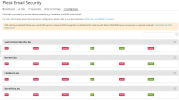
I noticed that the Plesk Email Security is corrupted as you can see here :
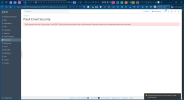
When i check the full hostname, it seems correct :

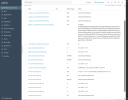
Plus all my emails are waiting in a queue and not delivered :

For information i have bought the Plesk Email Security to be in the safe side, but nothing changed.
Somebody have already this problem or found a solution ?
M. Jellab
I'm new here.
After an issue I reinstalled my server from scratch with Ubuntu Os V 22..04.5 LTS
Then i reinstalled PLESK Obsidian v18.0.75 (build 1800260102.11).
Now i have an issue with emailing (sending).
I can receive emails but noithing is going out.
I noticed that the Plesk Email Security is corrupted as you can see here :
When i check the full hostname, it seems correct :
Plus all my emails are waiting in a queue and not delivered :
For information i have bought the Plesk Email Security to be in the safe side, but nothing changed.
Somebody have already this problem or found a solution ?
M. Jellab