Facebook
 Twitter
HATIRA POLAT ARKALI
New Pleskian
Looking at Server Information.
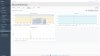
Every day there is more memory usage. Is there a memory leak?
After 8 days up, I was almost maxed out at 15G.
After a restart, there is only maybe 800K used.
z
I have smilar issue.
I have dedicated server with 64 Gb Ram and 16 Core xeon Cpu.
When I restart server it will start cached size is starting 1gb and after a few hour later almost all ram capacity used by cache.
but I am not sure which aplications use my rams.
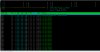
I am checking ram usage with htop and it showing me everything is normal. But Plesk show me all ram size used by cache.
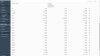
And Plesk opsidian show me I have 5 "tmpfs" and many "cgroup" directory or mounted drive. How Can I delate all unnecessary drive or path ?
There is no any modification in my "etc/fstab" file. it is almost empty.