Facebook
 Twitter
BuzzLightBurger
Basic Pleskian
Hi
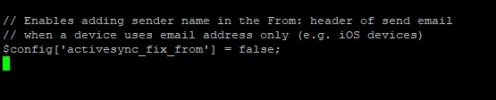
When sending email via an iPhone using activesync (Exchange) the from address is presented to the recipient as [email protected].
I have seen someone modify a PHP script in order to allow the (usually vacant) domain part of the account settings to be used to populate a user's full name in order to populate the FROM address correctly, ie, "first_name last_name <[email protected]>"
This can be seen via this page
Can this be achieved somehow with this 'premium' email extension?
Sending emails to clients via an activesync linked device looks a tad unprofessional at the moment and either a simple hack or a more preferred option to add a tick box in order to toggle the use of the domain field as a name field would be ideal.
Regards
When sending email via an iPhone using activesync (Exchange) the from address is presented to the recipient as [email protected].
I have seen someone modify a PHP script in order to allow the (usually vacant) domain part of the account settings to be used to populate a user's full name in order to populate the FROM address correctly, ie, "first_name last_name <[email protected]>"
This can be seen via this page
Can this be achieved somehow with this 'premium' email extension?
Sending emails to clients via an activesync linked device looks a tad unprofessional at the moment and either a simple hack or a more preferred option to add a tick box in order to toggle the use of the domain field as a name field would be ideal.
Regards