• The APS Catalog has been deprecated and removed from all Plesk Obsidian versions.
    Applications already installed from the APS Catalog will continue working. However, Plesk will no longer provide support for APS applications.
  • Please be aware: with the Plesk Obsidian 18.0.78 release, the support for the ngx_pagespeed.so module will be deprecated and removed from the sw-nginx package.

Resolved Problem in Backup Manager -- Permission denied.

bahadoribnm

New Pleskian
(Windows Server)
When I click on "Backup Manager" in "Tools & Settings", I give this error:
Permission denied.

Can help me, anyone??
 

Attachments

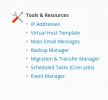
  • Tools.png
    Tools.png
    17.7 KB · Views: 10
  • error.png
    error.png
    33.5 KB · Views: 11
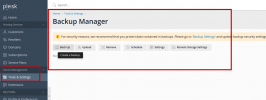
This is not about the user account, I want to open Backup Manager from Server Management.
I have to see this page (Attached)
 

Attachments

  • plesk.png
    plesk.png
    57.7 KB · Views: 9
hello @bahadoribnm ,
could you please check, is 'Restricted Mode' enabled on your server or not ?

also, could you please confirm that you're logged in Plesk under 'admin' username? (mean not another one additional plesk admin user)
 
Back
Top