Facebook
 Twitter
- Server operating system version
- Ubuntu 24.04
- Plesk version and microupdate number
- 18.0.74.3
Hello,
I am having an issue with a fresh installation of Plesk and Laravel. When I attempt to install Laravel, I receive the following error message:
I then logged in via SSH and entered the following:
plesk bin extension --upgrade composer & plesk bin extension --upgrade laravel
Both times I received a message saying that the extension had been successfully installed. When I try to install Laravel, I still get the same message as described above. Unfortunately, I don't know what to do next and hope you can help me.
I am having an issue with a fresh installation of Plesk and Laravel. When I attempt to install Laravel, I receive the following error message:
I then logged in via SSH and entered the following:
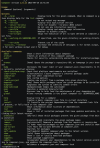
The task "ext-laravel-task\laraveldeployskeletontask" has failed.
Installing dependencies from lock file
Verifying lock file contents can be installed on current platform.
Package operations: 0 installs, 0 updates, 35 removals
> Illuminate\Foundation\ComposerScripts:rePackageUninstall
- Removing theseer/tokenizer (1.3.1)
plesk bin extension --upgrade composer & plesk bin extension --upgrade laravel
Both times I received a message saying that the extension had been successfully installed. When I try to install Laravel, I still get the same message as described above. Unfortunately, I don't know what to do next and hope you can help me.