Facebook
 Twitter
- Server operating system version
- Ubuntu 20.04.6 LTS
- Plesk version and microupdate number
- Plesk Obsidian Version 18.0.54
Hi I am new to Plesk and working on a new server.
Troubleshooting frequent “excessive resource usage” error messages from new Plesk Server, because they are there. (should I?)
Time: Wed Aug 30 06:36:07 2023 +0000
Account: psaadm
Resource: Process Time
Exceeded: 1827 > 1800 (seconds)
Executable: /usr/sbin/sw-engine-fpm
Command Line: sw-engine-fpm: pool plesk
PID: 39942 (Parent PID:535)
Killed: No
Plesk obsidian psaadm “excessive resource usage”
How do I raise the limit for Plesk obsidian psaadm “excessive resource usage” from 1800 to 2000 seconds
Also getting frequent “Error” notices for the following as well
Plesk Obsidian systemd-network process time exceeded 1800 seconds
Syslog
Systemd-timesync
Daemon
Getting some
Grafana Resource: Virtual Memory Size Exceeded: 1500 > 512 (MB)
Plesk-ssh-terminal
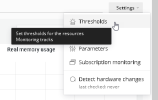
On my previous server, Cpanel, I would have increased the limits a bit to see if that cured the problem but I don’t see how to adjust that.
Should I adjust the limits or block the notices and if so, how is that done.
Troubleshooting frequent “excessive resource usage” error messages from new Plesk Server, because they are there. (should I?)
Time: Wed Aug 30 06:36:07 2023 +0000
Account: psaadm
Resource: Process Time
Exceeded: 1827 > 1800 (seconds)
Executable: /usr/sbin/sw-engine-fpm
Command Line: sw-engine-fpm: pool plesk
PID: 39942 (Parent PID:535)
Killed: No
Plesk obsidian psaadm “excessive resource usage”
How do I raise the limit for Plesk obsidian psaadm “excessive resource usage” from 1800 to 2000 seconds
Also getting frequent “Error” notices for the following as well
Plesk Obsidian systemd-network process time exceeded 1800 seconds
Syslog
Systemd-timesync
Daemon
Getting some
Grafana Resource: Virtual Memory Size Exceeded: 1500 > 512 (MB)
Plesk-ssh-terminal
On my previous server, Cpanel, I would have increased the limits a bit to see if that cured the problem but I don’t see how to adjust that.
Should I adjust the limits or block the notices and if so, how is that done.