Follow along with the video below to see how to install our site as a web app on your home screen.
Note: This feature may not be available in some browsers.
The APS Catalog has been deprecated and removed from all Plesk Obsidian versions. Applications already installed from the APS Catalog will continue working. However, Plesk will no longer provide support for APS applications.
Please be aware: with the Plesk Obsidian 18.0.78 release, the support for the ngx_pagespeed.so module will be deprecated and removed from the sw-nginx package.
some time ago Addendio was a extensions to Plesk. Now I see that it's built into the Wordpress Toolkit. So if I want to install a plugin from Wordpress Toolkit, Addendio is show up, brrrr. How to disbale it, and why you force users to use this product!?
This prevent Addendio plugin from being automatically installed on all new WordPress instances (I do not know why it is forcing too?).
Unfortunately, this does not remove Addendio from the Wordpress Toolkit (If you want to install the plugin from Worpdress Tookit, you will see....Addendio).
I tried to add this:
[ext-wp-toolkit]
allowAddendioIntegration = false
Then I logged out and logged in again. But Addendio is still here.
Yea, that’s the default for when you toggle maintenance mode on. There’s also a Plesk logo in the bottom right corner of maintenance mode which I don’t see a way of changing... atleast without some hacking.
No need for hacking, Mark -- you can simply modify the maintenance mode template and put any image you'd like. Some of the details are described here: WordPress Toolkit
Yes...
I would prefer not having that Addendio nor some of those other add-ons that are just promotions in disguise. It's also insulting and not worthy of a paid product.
There are plenty of reported bugs to kill and they should put an effort in that and not this nonsense.
When can I restore a back-up and have the timestamps of the files not set to today?
If it's disabled one will still have the possibility to search for new plugins and themes?
We've released WPT 3.0.2 update, which includes the following fix:
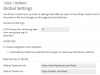
[*] Addendio Plus plugin is no longer installed on all new WordPress instances by default. If you want it to be installed by default, go to WPT Global Settings and enable the corresponding checkbox.
This should address the immediate concerns about Addendio plugin being installed on all new WP instances. We are also planning to develop and provide an alternative way to search and install plugins/themes via WPT that does not require the Addendio service (this will take a couple of months, though).
If you want to completely turn Addendio off, you'll need to switch to the old WPT UI and disable Addendio there on the Global Settings tab. To use the old WPT UI, add the following line to your panel.ini: