Follow along with the video below to see how to install our site as a web app on your home screen.
Note: This feature may not be available in some browsers.
The APS Catalog has been deprecated and removed from all Plesk Obsidian versions. Applications already installed from the APS Catalog will continue working. However, Plesk will no longer provide support for APS applications.
Please be aware: with the Plesk Obsidian 18.0.78 release, the support for the ngx_pagespeed.so module will be deprecated and removed from the sw-nginx package.
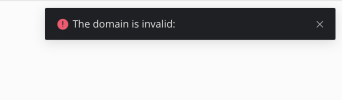
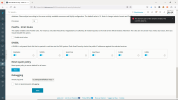
After plesk repair mail and db with all OK I click on reset button in "Reset Spam policy" and it shows the error: The domain part of the email is invalid... ¿Any suggestions? Thank you.
I contacted plesk support at https://support.plesk.com/ and they reinstalled the extension to apply a hotfix.
"After reinstalling the extension and applying the hotfix on the file /usr/local/psa/admin/plib/modules/email-security/library/Policies.php, the Reset SPAM policy button doesn't fail anymore.
Please note that all the stats were reset during the reinstallation."
@oliverweidel Please contact Plesk support staff. This issue does not have a standard solution, it can only be fixed on a case-by-case basis at this time. The solution applied for @delaosa might not necessarily be the same that is required for you.