• Halloween is coming! To celebrate the occasion, we dusted off a couple of old skins, and even created a brand new one (Pixel).
    To get into the festive spirit, install the Skins extension.
  • The new Python extension is now available. It allows customers to deploy and manage WSGI-based Python applications on their websites directly from Plesk.
  • The Plesk Mobile apps for iOS and Android and the Plesk Mobile Center extension have been deprecated, and are no longer available for new installations. In Plesk Obsidian 18.0.84, the Plesk Mobile Center extension will be removed from servers during the upgrade, and the Plesk Mobile apps will lose their server management features.
  • The Social Login extension has been deprecated and will be removed in Plesk Obsidian 18.0.84. After that, it will no longer be possible to log in to Plesk with a Google, Facebook, GitHub account, or with a passkey. Plesk usernames and passwords, as well as logging in with a WebPros Account, are not affected.

Issue Restricting access to others dns zone

sh4ke

New Pleskian
Hello guys,

i really need the "Forbid users to create DNS subzones in other users' DNS superzones" function.
But if I follow the Plesk Docs:

Code:
1. Go to Tools & Settings > Server Settings.
2. Select the Forbid users to create DNS subzones in other users' DNS superzones checkbox.
3. Click OK.

there is no function named like this.
Can anyone help me?

Thanks.
 
I'll attach a photo of where it's at. Can you screenshot what you see on your side?

1zev1o5.png
 
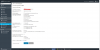
Yeah, I know but by me there is another function on this Place. I attach a screenshot too. But the function on the screenshot only forbid customer to change their main-domain name.

8d1be7993.png
 
Huh, have you tried accessing the English UI? Maybe it's missing in that translation....
 
Don't tried yet. But in the german docs, it's also explained with screenshots. I think it isn't a missing translation.
But I will try it.
 
Back
Top