• Debian 11 is approaching its end-of-life (vendor EOL date - August 31, 2026). Plesk Obsidian 18.0.80 will be the last release to support it.
    If you are running Plesk Obsidian on Debian 11, we recommend you upgrade those servers to Debian 12 using our dist-upgrade tool.
  • We plan to deprecate and remove the support for XML RPC protocol versions earlier than 1.6.9.1 in Plesk Obsidian 18.0.82. We strongly recommend that you update all existing integrations using earlier versions of the XML RPC protocol to comply with the version 1.6.9.1 specification.

Issue Roundcube - login page graphic issue after Obsidian update

maurosan

New Pleskian
Hello,
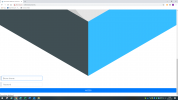
after the last obsidian update my user see the roundcube page in a pc browser like a mobile view.
What's wrong ?

1620225200763.png
 
hello @maurosan ,

I guess you have already tried to clear browser's cache (I know this is dumb suggestion but it may really solve such problems).
do you see any errors in upgrade log or in JS console (dev tools in browser) ?

we did not face this problem on our test environments,
so usual troubleshooting process would be helpful to find artefacts that may be a reason for such behavior.
 
Some browsers support emulation modes where the browser behaves as if it was a browser on a mobile device. This can be turned on and off. Are you sure that you are using the native browser screen mode or could there be a chance that such a screen emulation mode is set in the browser configuration?
 
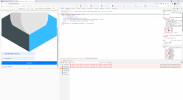
It seems that it can't load the elastic skin correctly:

skins,_elastic,_styles,_styles.css,qs==1622777191+plugins,_jqueryui,_themes,_elastic,_jquery-ui.css,qs==1622777190.pagespeed.cc.BpkUUftxFP.css:1 Failed to load resource: the server responded with a status of 404 (Not Found)

/mod_pagespeed_beacon?url=https%3A%2F%2Fwebmail.brunosrl.eu%2F:1 Failed to load resource: the server responded with a status of 403 (Forbidden)

skins,_elastic,_styles,_styles.css,qs==1622777191+plugins,_jqueryui,_themes,_elastic,_jquery-ui.css,qs==1622777190.pagespeed.cc.BpkUUftxFP.css:1 Failed to load resource: the server responded with a status of 404 (Not Found)

It seems a pagespeed module problem.. how I can disable the pagespeed mod for the webmail ?
1624371598492.png
 
After disabling the pagespeed mod to the domain following this article, How to disable the PageSpeed Apache module for a single domain in Plesk?

I get now only this 2 errors:

skins,_elastic,_styles,_styles.css,qs==1622777191+plugins,_jqueryui,_themes,_elastic,_jquery-ui.css,qs==1622777190.pagespeed.cc.BpkUUftxFP.css:1 Failed to load resource: the server responded with a status of 404 (Not Found)

skins,_elastic,_styles,_styles.css,qs==1622777191+plugins,_jqueryui,_themes,_elastic,_jquery-ui.css,qs==1622777190.pagespeed.cc.BpkUUftxFP.css:1 Failed to load resource: the server responded with a status of 404 (Not Found)
 
Back
Top