• The APS Catalog has been deprecated and removed from all Plesk Obsidian versions.
    Applications already installed from the APS Catalog will continue working. However, Plesk will no longer provide support for APS applications.
  • Please be aware: with the Plesk Obsidian 18.0.78 release, the support for the ngx_pagespeed.so module will be deprecated and removed from the sw-nginx package.

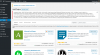
Issue Server Error 403 - Forbidden: Access is denied.

narayan

New Pleskian
while installing any plugin in wordpress image attached
 

Attachments

  • Screenshot 2020-08-31 at 11.00.33 AM.png
    Screenshot 2020-08-31 at 11.00.33 AM.png
    232.6 KB · Views: 34
Make sure that the path to which the plugin ought to be installed is accessible in terms of
- group permissions (should be readable, writeable by psacln)
- owner permissions (should be readable, writeable by the subscription owner
- ModSecurity ("Web Application Firewall") not blocking it (check your error_log if a ModSecurity rule is blocking access to a specific URL and throwing a 403 error)
 
Back
Top