
 Facebook
 Twitter
Hi there,
I have just installed Plesk fresh onto a minimal Centos 6.5 instance.
I added 3 extra CPU's to the server after the intial Plesk Installation because I forgot to add them at the start.
When I go to Tools & Settings --> Server Information, it only shows 1 CPU.
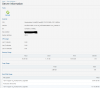
How can I force a recheck or update this to show the true number.
The output on the Centos 6.5 server itself reflects the 4 cores'.
Any suggestions would be greatly appreciated.
I have just installed Plesk fresh onto a minimal Centos 6.5 instance.
I added 3 extra CPU's to the server after the intial Plesk Installation because I forgot to add them at the start.
When I go to Tools & Settings --> Server Information, it only shows 1 CPU.
How can I force a recheck or update this to show the true number.
The output on the Centos 6.5 server itself reflects the 4 cores'.
Code:
[root@host ~]# lscpu
Architecture:          x86_64
CPU op-mode(s):        32-bit, 64-bit
Byte Order:            Little Endian
CPU(s):                4
On-line CPU(s) list:   0-3
Thread(s) per core:    1
Core(s) per socket:    4
Socket(s):             1
NUMA node(s):          1
Vendor ID:             GenuineIntel
CPU family:            6
Model:                 62
Stepping:              4
CPU MHz:               2593.737
BogoMIPS:              5187.47
Hypervisor vendor:     Microsoft
Virtualization type:   full
L1d cache:             32K
L1i cache:             32K
L2 cache:              256K
L3 cache:              20480K
NUMA node0 CPU(s):     0-3
[root@host ~]#
Any suggestions would be greatly appreciated.
