Facebook
 Twitter
B
Bumperk
Guest
This should be a simple one - but I have spent 8 hours on this simple problem. My server comes with Plesk pointing at the C: drive. I need it to make domains and their files on the D: drive.
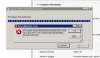
I cannot find a place in the web interface to change this (10.4.4). I did find the "Reconfigurator" and ran the "Change the Virtual Drive" but it gets an error (cannot find a file) when it is most the way through - and then when it restarts the services it just says the site is not available anymore.
This should be simple - but how do I do it?
I sincerely appreciate your help.
Brandon
I cannot find a place in the web interface to change this (10.4.4). I did find the "Reconfigurator" and ran the "Change the Virtual Drive" but it gets an error (cannot find a file) when it is most the way through - and then when it restarts the services it just says the site is not available anymore.
This should be simple - but how do I do it?
I sincerely appreciate your help.
Brandon