Facebook
 Twitter
JogoVogo
Basic Pleskian
- Server operating system version
- Debian 12.0
- Plesk version and microupdate number
- Plesk Obsidian v18.0.73_build1800251009.17
Hello everyone!
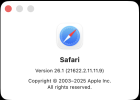
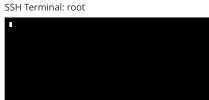
Recently, the Ssh extension in the Safari browser ran smoothly. Now it just stops; in Chrome it works. It's not a drama, but I don't like to use multiple browsers. Maybe someone has a solution for this.
cheers
ron
Recently, the Ssh extension in the Safari browser ran smoothly. Now it just stops; in Chrome it works. It's not a drama, but I don't like to use multiple browsers. Maybe someone has a solution for this.
cheers
ron