Facebook
 Twitter
- Server operating system version
- Almalinux 8.10
- Plesk version and microupdate number
- 18.0.70 Update #2
Hi All,
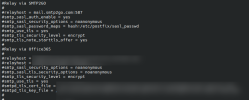
Until recently we used an external smtp relay for outbound email from the server. This was configured in /etc/postfix/main.cf and nowhere else as far as we can discern. We have marked out the relevant config in the main.cf file and have restarted postfix. All user accounts now send out email using built in smpt functionality but any email sent from the system such as memory usage notifications are still being sent out using the external relay. We can no longer find any configuration relevant to this on the system.
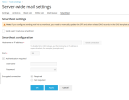
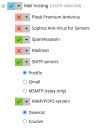
No smarthost has been configured in the email server settings and MSMTP has not been installed.
Things we've tried:
- switching to a different relay.
- switching from postfix to qmail and back again.
- changing the address notifications are sent from
Sadly none of the above worked and email from the system account is still being sent out using the originally configured relay. We've now simply blocked traffic towards the ip of the relay to prevent system emails being sent through it but this is hardly a permanent solution.
Any help would be much appreciated.
Until recently we used an external smtp relay for outbound email from the server. This was configured in /etc/postfix/main.cf and nowhere else as far as we can discern. We have marked out the relevant config in the main.cf file and have restarted postfix. All user accounts now send out email using built in smpt functionality but any email sent from the system such as memory usage notifications are still being sent out using the external relay. We can no longer find any configuration relevant to this on the system.
No smarthost has been configured in the email server settings and MSMTP has not been installed.
Things we've tried:
- switching to a different relay.
- switching from postfix to qmail and back again.
- changing the address notifications are sent from
Sadly none of the above worked and email from the system account is still being sent out using the originally configured relay. We've now simply blocked traffic towards the ip of the relay to prevent system emails being sent through it but this is hardly a permanent solution.
Any help would be much appreciated.