Facebook
 Twitter
A few weeks ago, we added more disk space to our Plesk server.
But the monitoring extension continues to report outdated numbers and regularly notifies us that the disk is almost full. The threshold is set to 80%, and the disk utilization is 44%.
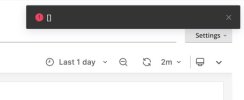
Furthermore, while trying to change the threshold, or any other settings of the Monitoring extension, we get this error message:
"Request failed with status code 500"
We tried to uninstall the Monitoring extension and reinstall it back, but that did not help.
And if we go to the Log Browser, here is what we get there:
--
extension/monitoring:
/usr/local/psa/admin/plib/vendor/plesk/zf1/library/Zend/Controller/Plugin/Broker.php(336): Invalid controller specified (index)#0 /usr/local/psa/admin/plib/vendor/plesk/zf1/library/Zend/Controller/Front.php(954): Zend_Controller_Dispatcher_Standard->dispatch(Object(Zend_Controller_Request_Http), Object(Zend_Controller_Response_Http))
#1 /usr/local/psa/admin/plib/pm/Application.php(91): Zend_Controller_Front->dispatch()
#2 /usr/local/psa/admin/plib/modules/monitoring/routes/frontend.php(12): pm_Application->run()
--
extension/monitoring:
Execution extension has failed with exit code 3, stdout: , stderr: Failed to update the Grafana state in turn.
:
0: /usr/local/psa/admin/plib/Task/Async/Executor.php:46
Task_Async_Executor->execute()
1: /usr/local/psa/admin/plib/scripts/task-async-executor.php:6
--
(there are lots of error messages like these two in the log)
But the monitoring extension continues to report outdated numbers and regularly notifies us that the disk is almost full. The threshold is set to 80%, and the disk utilization is 44%.
Furthermore, while trying to change the threshold, or any other settings of the Monitoring extension, we get this error message:
"Request failed with status code 500"
We tried to uninstall the Monitoring extension and reinstall it back, but that did not help.
And if we go to the Log Browser, here is what we get there:
--
extension/monitoring:
/usr/local/psa/admin/plib/vendor/plesk/zf1/library/Zend/Controller/Plugin/Broker.php(336): Invalid controller specified (index)#0 /usr/local/psa/admin/plib/vendor/plesk/zf1/library/Zend/Controller/Front.php(954): Zend_Controller_Dispatcher_Standard->dispatch(Object(Zend_Controller_Request_Http), Object(Zend_Controller_Response_Http))
#1 /usr/local/psa/admin/plib/pm/Application.php(91): Zend_Controller_Front->dispatch()
#2 /usr/local/psa/admin/plib/modules/monitoring/routes/frontend.php(12): pm_Application->run()
--
extension/monitoring:
Execution extension has failed with exit code 3, stdout: , stderr: Failed to update the Grafana state in turn.
:
0: /usr/local/psa/admin/plib/Task/Async/Executor.php:46
Task_Async_Executor->execute()
1: /usr/local/psa/admin/plib/scripts/task-async-executor.php:6
--
(there are lots of error messages like these two in the log)