Follow along with the video below to see how to install our site as a web app on your home screen.
Note: This feature may not be available in some browsers.
The new Python extension is now available. It allows customers to deploy and manage WSGI-based Python applications on their websites directly from Plesk.
Debian 11 has reached its end-of-life (vendor EOL date - August 31, 2026). Plesk Obsidian 18.0.81 is the last release to support it.
If you are running Plesk Obsidian on Debian 11, we recommend you upgrade those servers to Debian 12 using our dist-upgrade tool.
We plan to deprecate and remove the support for XML RPC protocol versions earlier than 1.6.9.1 in Plesk Obsidian 18.0.82. We strongly recommend that you update all existing integrations using earlier versions of the XML RPC protocol to comply with the version 1.6.9.1 specification.
Looks like you have very old Plesk version because there is "Parallels" logo. Have you tried to replace mentioned by me file? Any results?
Also default placeholder (index.html) page is taken from the default skeleton. You can find it in directory /var/www/vhosts/.skel/0/httpdocs/.
The default placeholder page for secure documents is localed in directory /var/www/vhosts/.skel/0/httpsdocs/.
Just replace the images and index.html with your own default files. All new domains added to Plesk will use these new files as their default site content.
The index page for the newly added domain, we have replaced in /var/www/vhosts/.skel/0/httpsdocs/
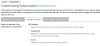
We need to change the page to be displayed when you disable subscriptions.
Substitution in the index file /var/www/vhosts/default/htdocs/index.html I do not give results
I did not understand your question, we pointed out the same thing that you have in the picture, to plan and to make the synchronization subscription. But the standard has remained the same page.

 Facebook
 Twitter