• Halloween is coming! To celebrate the occasion, we dusted off a couple of old skins, and even created a brand new one (Pixel).
    To get into the festive spirit, install the Skins extension.
  • The new Python extension is now available. It allows customers to deploy and manage WSGI-based Python applications on their websites directly from Plesk.
  • The Plesk Mobile apps for iOS and Android and the Plesk Mobile Center extension have been deprecated, and are no longer available for new installations. In Plesk Obsidian 18.0.84, the Plesk Mobile Center extension will be removed from servers during the upgrade, and the Plesk Mobile apps will lose their server management features.
  • The Social Login extension has been deprecated and will be removed in Plesk Obsidian 18.0.84. After that, it will no longer be possible to log in to Plesk with a Google, Facebook, GitHub account, or with a passkey. Plesk usernames and passwords, as well as logging in with a WebPros Account, are not affected.

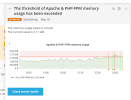
Issue The threshold of Apache & PHP-FPM memory usage has been exceeded

live.support365

New Pleskian
Server operating system version
CentOS Linux 8.5.2111
Plesk version and microupdate number
Version 18.0.41
Hello,

I am facing "The threshold of Apache & PHP-FPM memory usage has been exceeded" issue for past 1 month, tried all solution found on google, but non of them work.

Pls help.
 

Attachments

  • Advisor-Plesk-Obsidian-18-0-41.png
    Advisor-Plesk-Obsidian-18-0-41.png
    53 KB · Views: 61
These warnings mean that Apache and/or PHP are using more memory than the threshold set in Plesk > Monitoring. If you are receiving multiple warnings a day, it may be because the websites hosted on the server may need more RAM, or it may mean that the threshold is too low. The article Notifications from Advanced Monitoring in Plesk: Memory usage status is critical! provide further details on how you can verify this and how you can estimate a better threshold.

It may also be useful to install a tool such as atop to monitor the server's resource usage over time so that you can better understand which websites are triggering these alerts to determine if any actions are indeed required. The article "How to monitor usage of system resources in a period of time using atop?" provides details on how to do that.

These steps should provide you with enough information to determine if you do need to provision more RAM to your server, or if something else is happening.
 
Thank you for your Time and Reply.

/usr/sbin/httpd -DFOREGROUND -- Using lot of CPU, How I can fix that, multiple process are running and using 80% to 90% of CPU.
 
Back
Top