• Debian 11 has reached its end-of-life (vendor EOL date - August 31, 2026). Plesk Obsidian 18.0.81 is the last release to support it.
    If you are running Plesk Obsidian on Debian 11, we recommend you upgrade those servers to Debian 12 using our dist-upgrade tool.
  • We plan to deprecate and remove the support for XML RPC protocol versions earlier than 1.6.9.1 in Plesk Obsidian 18.0.82. We strongly recommend that you update all existing integrations using earlier versions of the XML RPC protocol to comply with the version 1.6.9.1 specification.

Issue Trying to upgrade to Onyx but can't login to the Plesk installer site.

Francis

New Pleskian
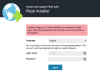
So I clicked the "Install Now" as always and redirected to the install app..
upload_2018-4-25_16-28-51.png

But I try to login using my Plesk credentials and can't login, is there a way to change the login & password? or any logs I can look at? None of my usual username/passwords seem to work:

upload_2018-4-25_16-29-48.png
 
Try to run upgrade procedure in CLI with

# plesk installer
 
Back
Top