Facebook
 Twitter
David Arriaga
New Pleskian
- Server operating system version
- Debian 10
- Plesk version and microupdate number
- Version 18.0.58 Update #2
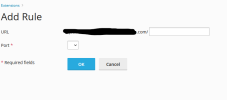
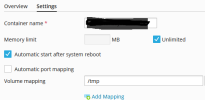
Hello how can I activate the ports and containers in Plesk Onyx Version 18.0.58 Update #2, the containers and ports do not appear after adding the container, I have tried with admin and pro licenses and it has nothing to do with the type of license. If they solved it with some direct mapping in ngix it still works for me.
I've tried on different own servers with Plesk and it's the same thing, I've already tried the Plesk tutorials and they don't work, any help will be added
I've tried on different own servers with Plesk and it's the same thing, I've already tried the Plesk tutorials and they don't work, any help will be added