• The new Python extension is now available. It allows customers to deploy and manage WSGI-based Python applications on their websites directly from Plesk.
  • The Plesk Mobile apps for iOS and Android and the Plesk Mobile Center extension have been deprecated, and are no longer available for new installations. In Plesk Obsidian 18.0.84, the Plesk Mobile Center extension will be removed from servers during the upgrade, and the Plesk Mobile apps will lose their server management features.
  • The Social Login extension has been deprecated and will be removed in Plesk Obsidian 18.0.84. After that, it will no longer be possible to log in to Plesk with a Google, Facebook, GitHub account, or with a passkey. Plesk usernames and passwords, as well as logging in with a WebPros Account, are not affected.

unable to host java application

gourav garg

New Pleskian
I am facing issue with Plesk Java Application . It's showing icon with exclamation sign Plesk11.png, So unable to access website from tomcat.
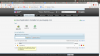
I google from last 4 days , Unable to find proper solution.

Please see screen shot

My production machine is down due to this problem, I just migrated to Plesk due to some enhancement.

Normal website hosting is working fine.
Everything is working fine , Even http://ip:8080 is also working properly

Version Plesk 11 , Ubutnu 10.04 x64, tomcat6
 
Last edited:
Resolved ..


See example exactly what happen . e.g IP 184.44.65.87

1. By Apache Web Server you can host multiple website on single IP e.g Virtual Hosting by Apache Web Server
means you can open www.abc.com and www.xyz.com on same IP. It's can not java application .
2. Java Application required Java Servlet Container e.g Apache Tomcat. Glassfish, WebSphere, WebLogic etc.
3. When ever we install this application it always install on www.ip.com:port/application.
4. So in my case I was also looking same on www.ip.com:port/application but it was installed on www.abc.com/myapp
instead of www.ip.com:port/myapp.

Yes we can use Apache Tomcat direct on www.abc.com instead of www.abc.com:port/myapp

for that we have two options
1. We can change port from tomcat server e.g 8080 to apache server e.g 80 with Virtual Hosting in Apache Tomcat
2. We can redirect from Apache Web Server to Tomcat Web Server.

Actually default HTTP port is 80.
 
Back
Top