Facebook
 Twitter
FlyingDutchman
New Pleskian
Hello,
the plesk updater encountered an error during the upgrade process with php-7.0-fpm.
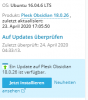
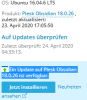
I fixed that error, but now I can't update. The Plesk WebUI tells me there is an update to Plesk 18.0.26, but the update page tells me, that I'm running 18.0.26, therefore no update is available.
How can I repair, or re-run, the updater?
the plesk updater encountered an error during the upgrade process with php-7.0-fpm.
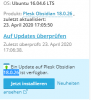
I fixed that error, but now I can't update. The Plesk WebUI tells me there is an update to Plesk 18.0.26, but the update page tells me, that I'm running 18.0.26, therefore no update is available.
How can I repair, or re-run, the updater?