Cordal Basic Pleskian Mar 13, 2017 #1 It is possible to uninstall a certificate Let's Encrypt, from a domain, I installed it in a domain, but I have to uninstall it, since it is not 100% compatible with the payment gateway, but I can not find where or how to do it
It is possible to uninstall a certificate Let's Encrypt, from a domain, I installed it in a domain, but I have to uninstall it, since it is not 100% compatible with the payment gateway, but I can not find where or how to do it
IgorG Plesk addicted! Plesk Certified Professional Mar 13, 2017 #2 Go to subscription, to SSL/TLS Certificates and remove LE certificate there.
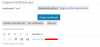
Cordal Basic Pleskian Mar 13, 2017 #3 I can not select certificate to delete, check is disabled Attachments Selección_164.png 22.9 KB · Views: 39
IgorG Plesk addicted! Plesk Certified Professional Mar 13, 2017 #4 Make sure that you logged to Plesk as admin.
Rafael Brianezi da Silva Plesk Certified Professional Plesk Certified Professional Mar 13, 2017 #6 Hello Cordal, A certificate cannot be deleted while it is in use. Please, try to check this: In Hosting Settings of your domain you can select another, e.g. default certificate
Hello Cordal, A certificate cannot be deleted while it is in use. Please, try to check this: In Hosting Settings of your domain you can select another, e.g. default certificate
Cordal Basic Pleskian Mar 13, 2017 #7 Thanks for your answer, I have already created a new certificate, but where I told you to use this to stop using the LE and thus delete it
Thanks for your answer, I have already created a new certificate, but where I told you to use this to stop using the LE and thus delete it